
Update your Billing Details
You can update your billing card & address as follows.
How to update your billing details on Linkly
1
Select Billing from Settings in the sidebar
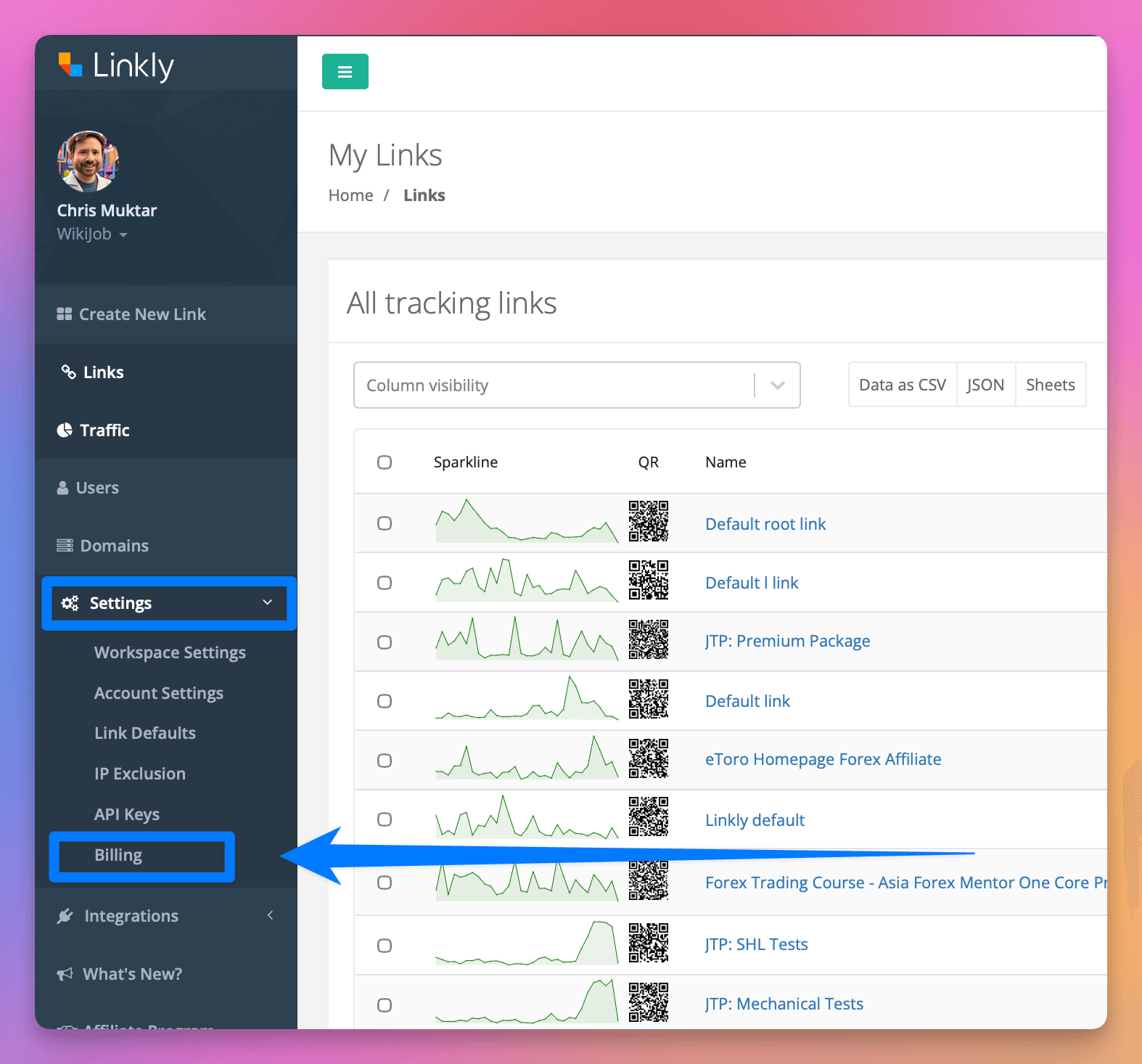
Select Billing from Settings in the sidebar
2
Click Billing Details
You can update your company name, address, VAT number, and payment method.
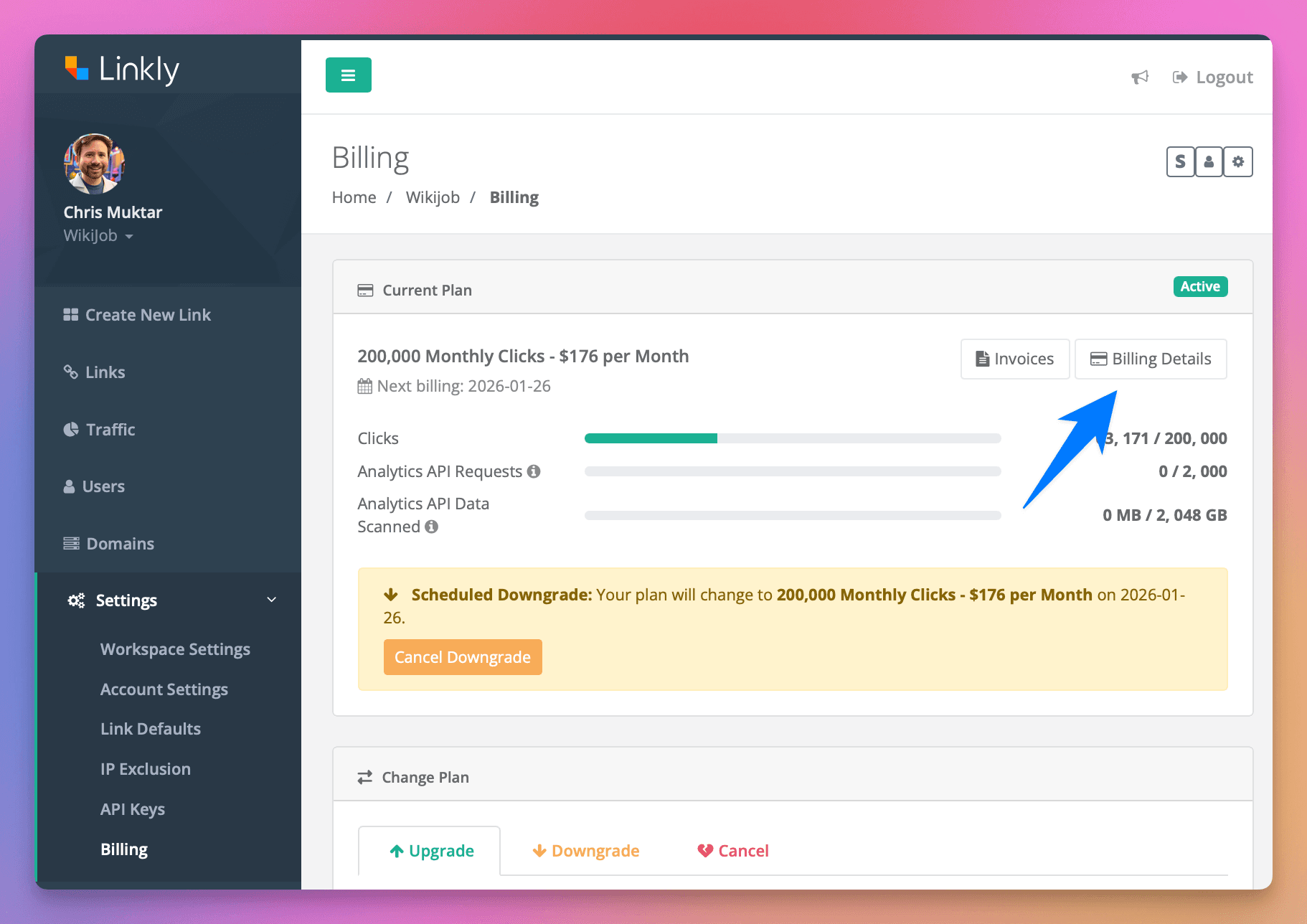
Click Billing Details
3
Adjust your payment method and billing address
Updated details will be reflected on future invoices.
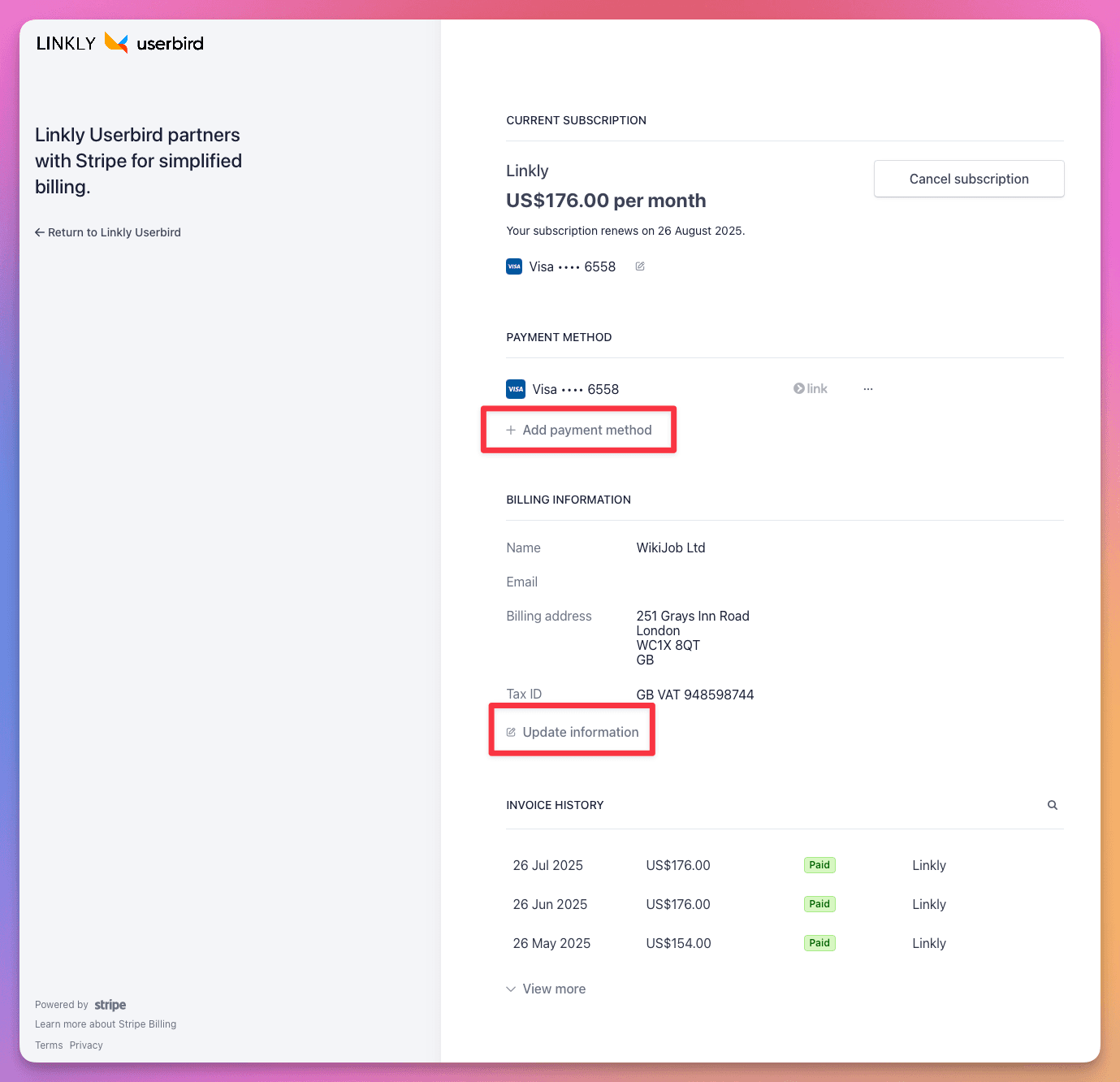
Adjust your payment method and billing address
Get 100 short links and track 500 monthly clicks for free.