
Use a Single URL to Share Podcasts for iOS & Android Devices
Linking to podcasts for both Apple and Android devices can be challenging due to all the different podcasting platforms.

The best approach is to create a link that:
- Redirects iOS users to the Apple Podcasts link (which opens the Podcasts app on their phone)
- Redirects Android users to Spotify or another Android-compatible podcast app
- Has a fallback page for people who follow the link on other devices (e.g. their Windows PC). If you publish your own podcast page on your website, this is the best thing to link to. You can include links to all platforms you publish on, such as Spotify, Amazon Music, and others.
How to create a single podcast link with Linkly
Click Create New Link from the menu.
In the Destination field, paste your fallback page URL.
This is where users on unsupported devices will be redirected.
Under Targeting, click Device.
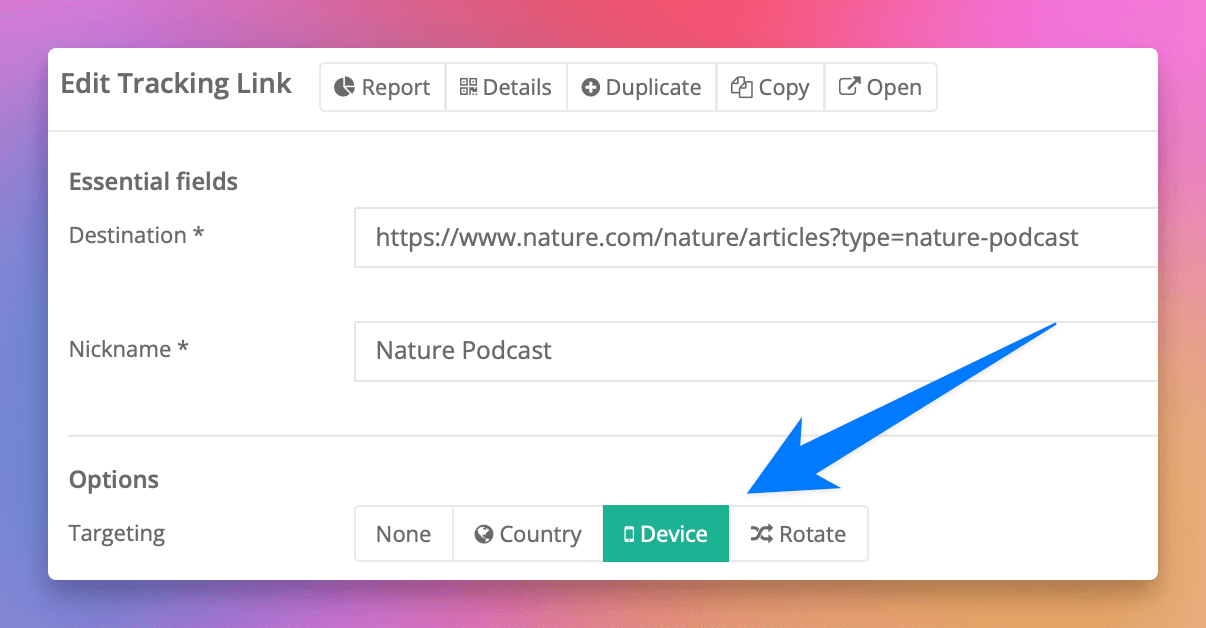
Under iOS, paste your Apple Podcasts link.
Under Android, paste your Spotify or preferred podcast app link.
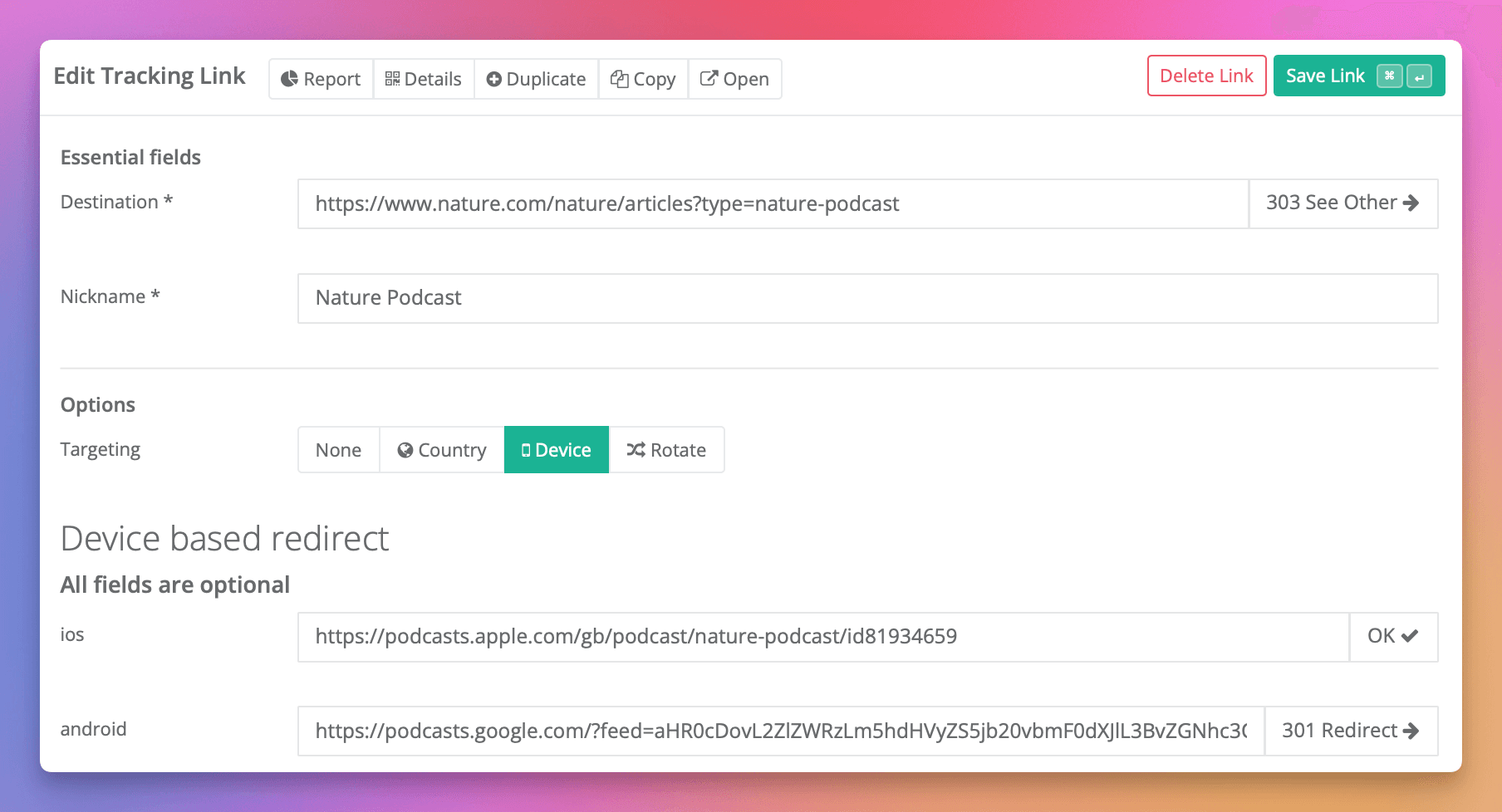
Click Save Link.
Linkly will create a new link that redirects users to the right podcast destination based on their device.
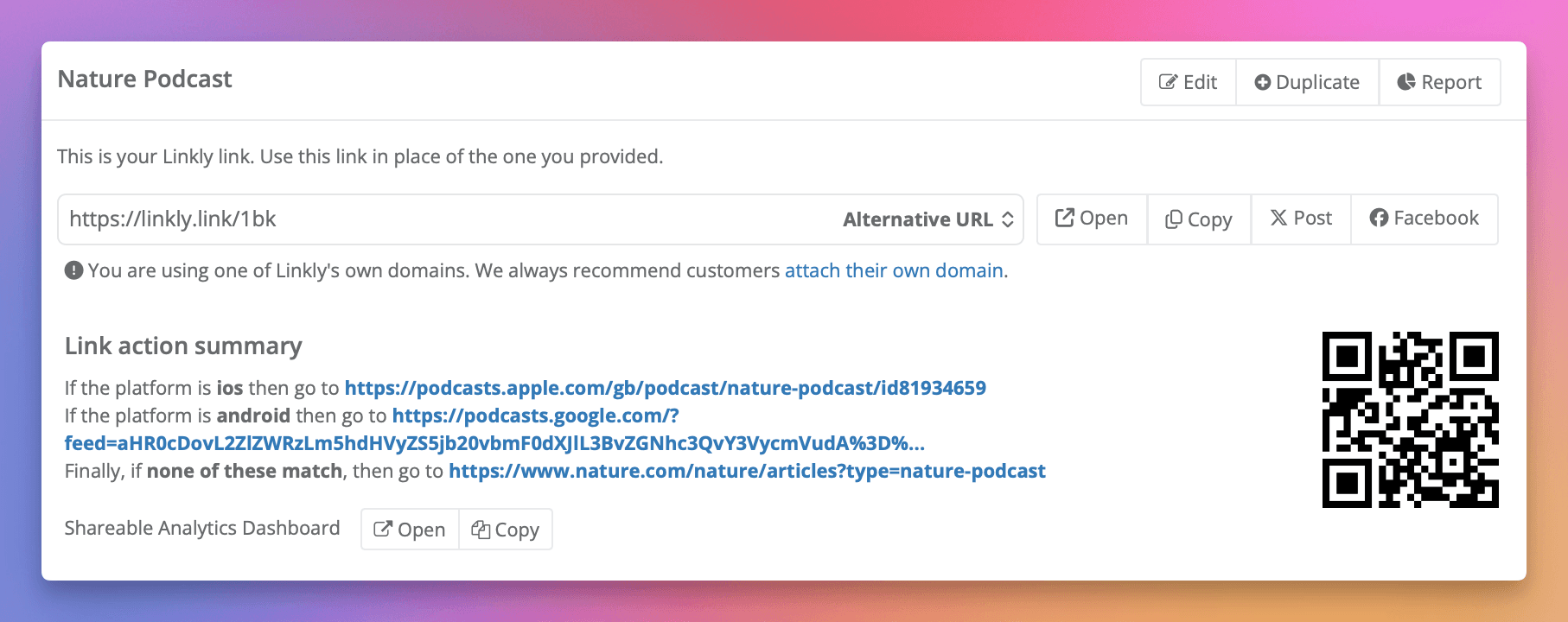
You'll get a new link you can share, which automatically redirects based on the platform. Try it out — you can even scan the QR code on your phone and see it open the Podcasts app, or just click here.
Benefits of using Linkly for podcast links
- Analytics — Get metrics and reports for who clicked, on what platform, and where they went.
- Retargeting — Add retargeting pixels like Meta or Twitter pixel to build tagged audiences for remarketing campaigns.
- Flexibility — Change the final link destinations in the future, even after you've shared them. The Linkly link address stays the same.
- Custom domains — Attach your own domain to use an address like podcast.yourbrand.com. Branded links have much higher click-through rates.
Frequently asked questions about podcast links
What podcast platforms can I redirect to?
You can redirect to any podcast platform including Apple Podcasts, Spotify, Amazon Music, Pocket Casts, Overcast, and more. Simply paste the link to your podcast on each platform into the device targeting settings.
Get 100 short links and track 500 monthly clicks for free.