
How to Cancel a Paid Linkly Account
Cancelling an account is easy, and you won't lose any of your data, plus your links will continue to work under the free plan restrictions.
Note: Managed domains are billed separately and must be cancelled separately.
How to cancel a paid Linkly account
Log in to Linkly
If you're unable to log in, please contact us using the chat widget.
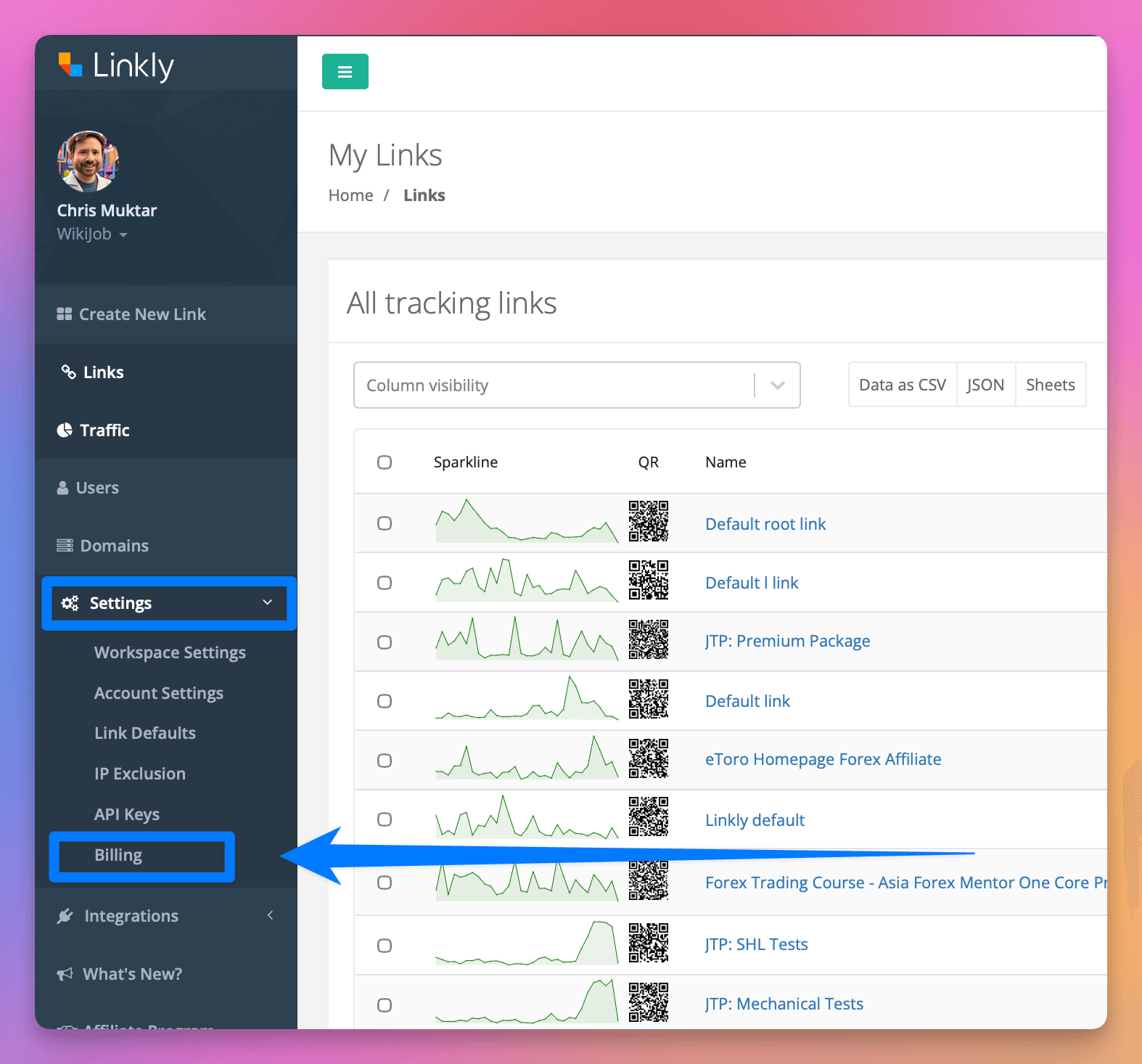
Click Settings from the menu
Click Billing
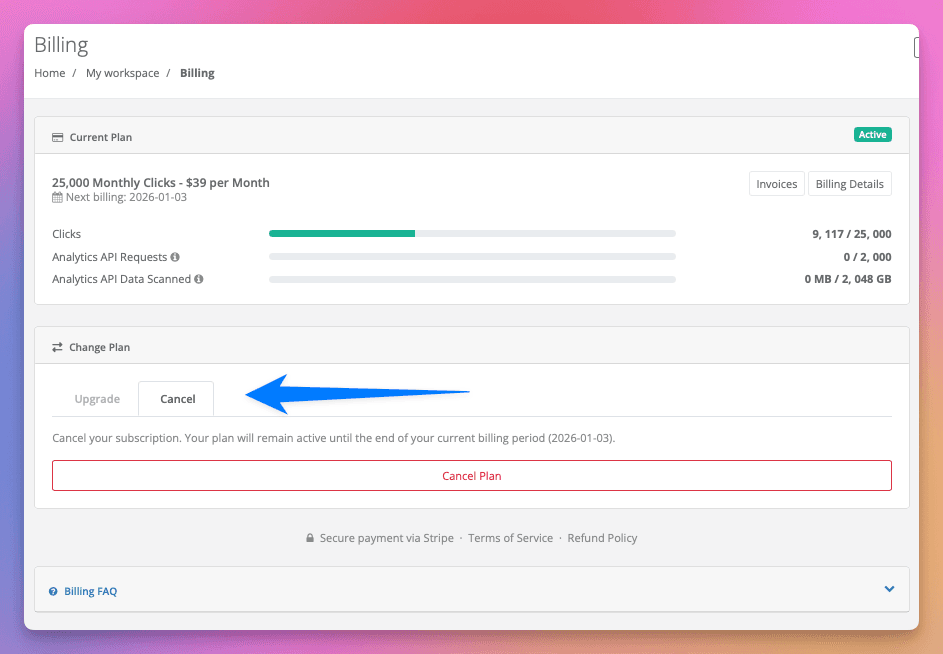
Click Cancel Plan
You'll be asked to confirm.
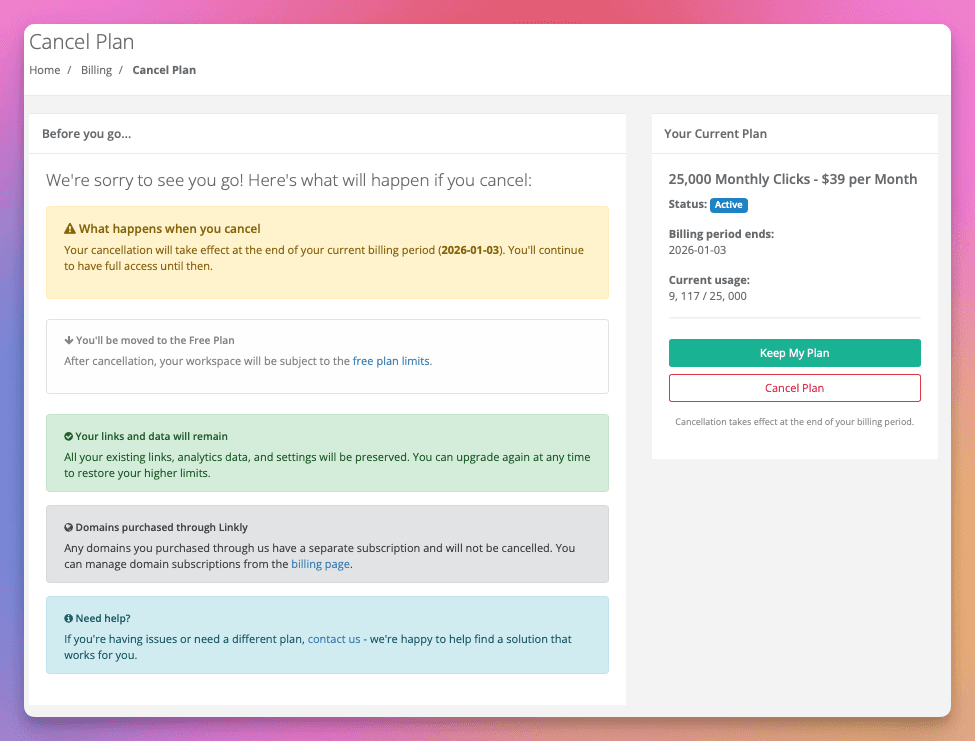
Confirm your cancellation
You'll be downgraded to the free plan at the end of your existing billing cycle. You can continue to use the allowance you've paid for.
You may be charged if you go over your plan limits, but your plan will still cancel at the end of the billing period.
- Your links will remain.
- Your traffic history will remain.
- Your links will continue to work, as long as you stay within the free plan limits.
Frequently asked questions
Will my links continue to work?
Yes, your links will continue to work, as long as you stay within the free plan limits.
Will my custom domain still work?
Yes, custom domains will continue to work.
Will it cancel immediately?
No, it'll cancel at the end of the billing cycle. You can continue to use what you've paid for, and you won't be charged again.
If you go over your allowance, you may be charged the pro-rated upgrade fee of a higher plan for remaining time.
What about managed domains?
Managed domains are billed separately and must be cancelled separately. Cancelling your Linkly plan does not cancel your managed domain subscriptions.
To cancel a managed domain, go to Settings → Domains and cancel the domain renewal. Domain registrations are billed annually and are non-refundable.
Get 100 short links and track 500 monthly clicks for free.