
VAT for European Customers
For customers in the European Union, Linkly is required to collect Value Added Tax (VAT) to comply with European tax laws.
Most businesses in the EU are not required to pay VAT upon presentation of a valid EU VAT number.
How to add a VAT number to your Linkly account
1
Go to Settings in the sidebar, then click Billing
2
Click Billing Details
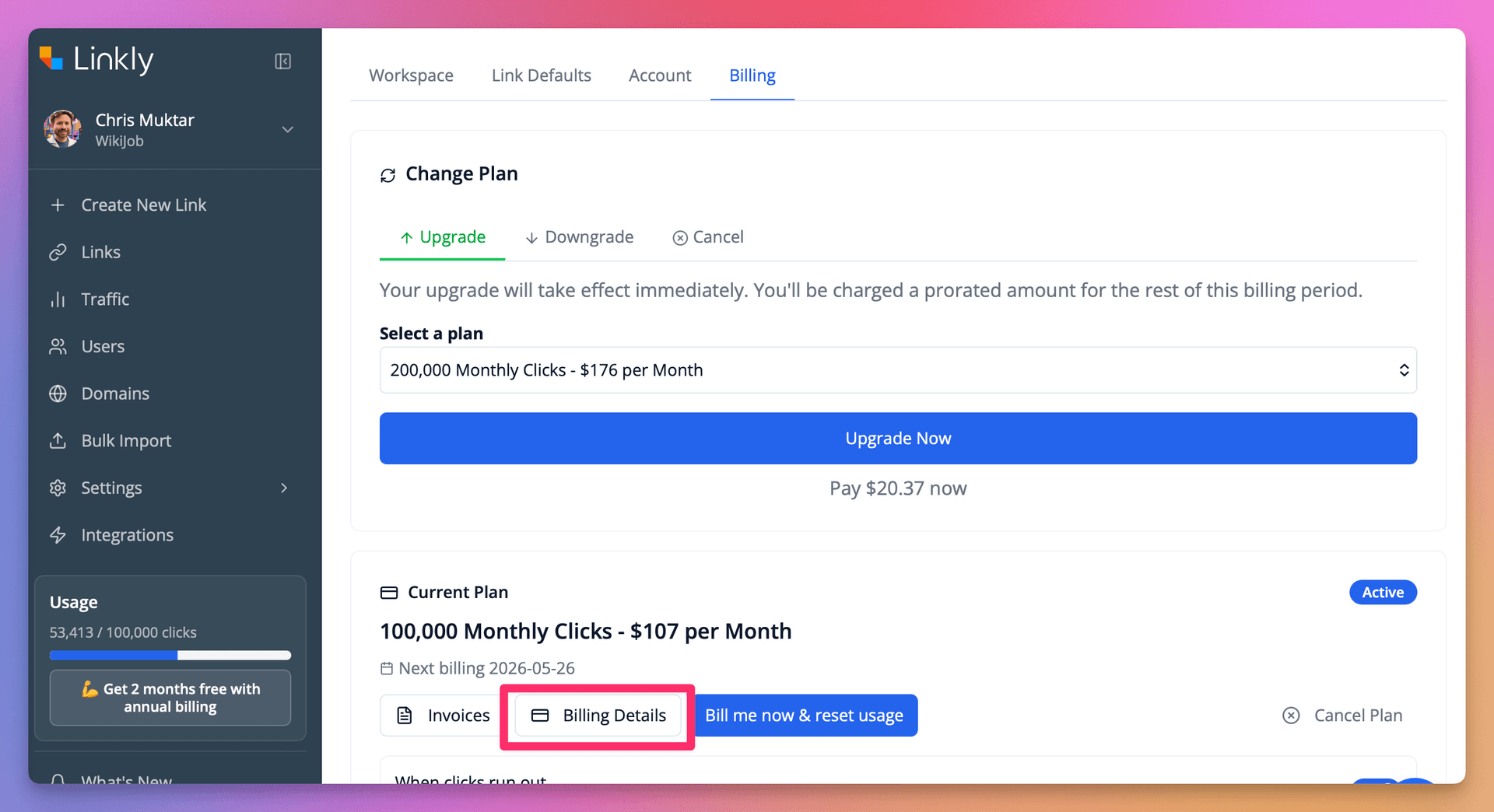
Click Billing Details
3
Under Billing Information, click Update Information
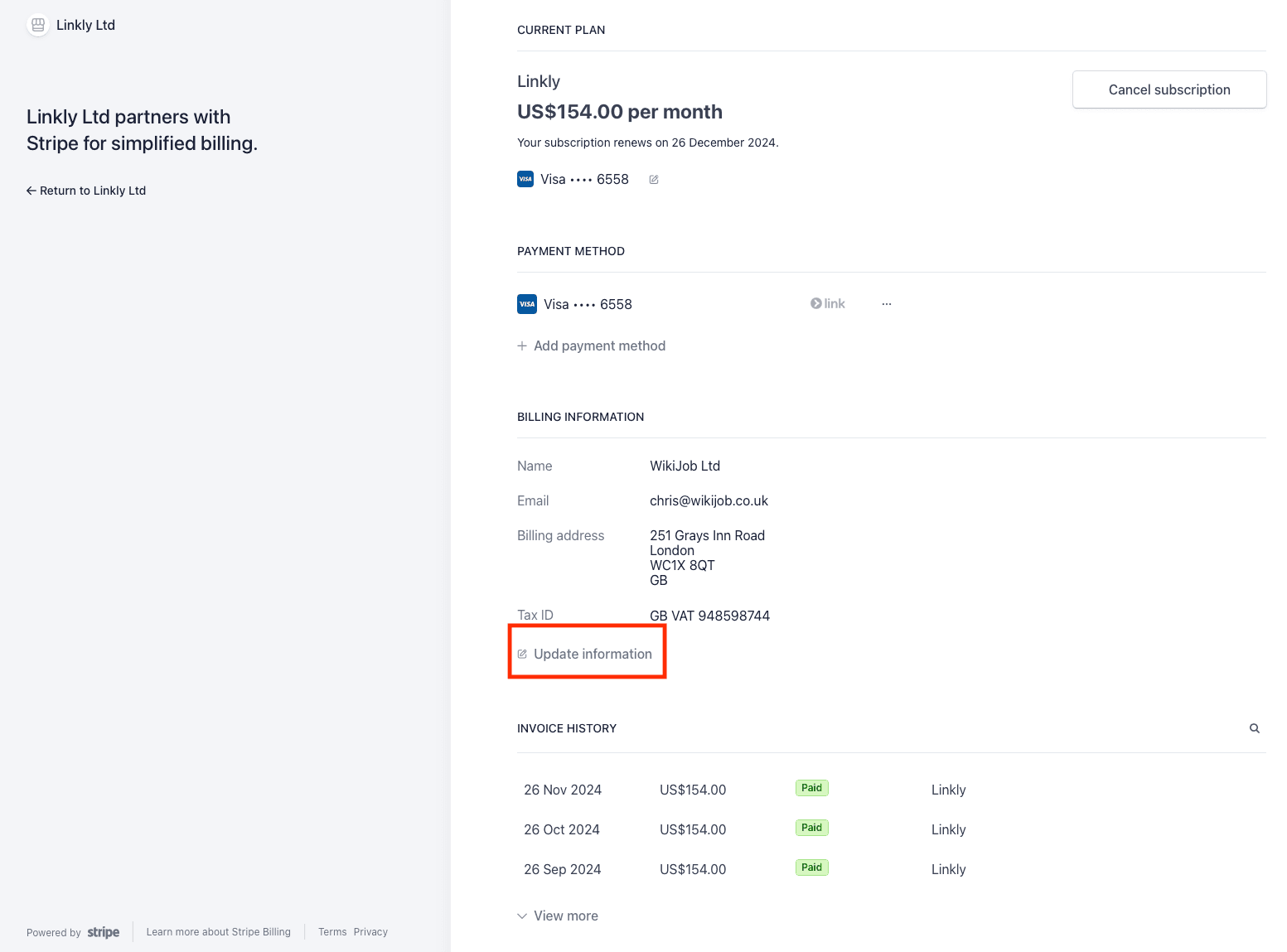
Under Billing Information, click Update Information
4
Make sure the business name and VAT number are present
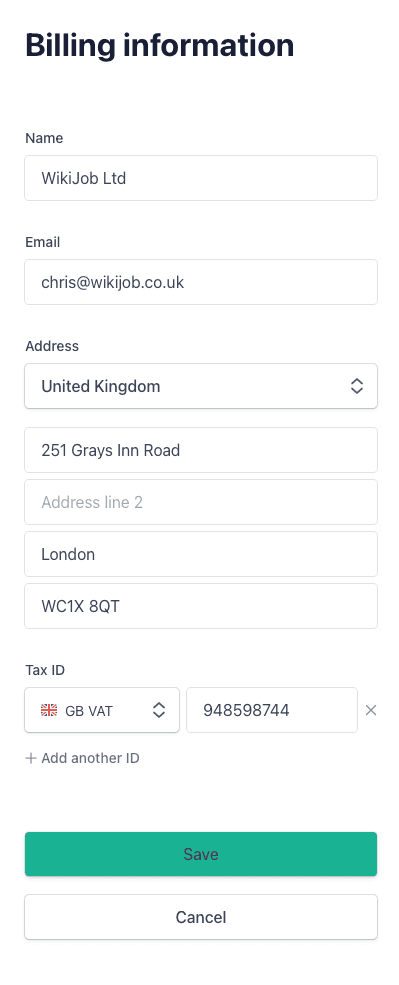
Make sure the business name and VAT number are present
Frequently asked questions
Get 100 short links and track 500 monthly clicks for free.