Analytics API Limits Vastly Improved
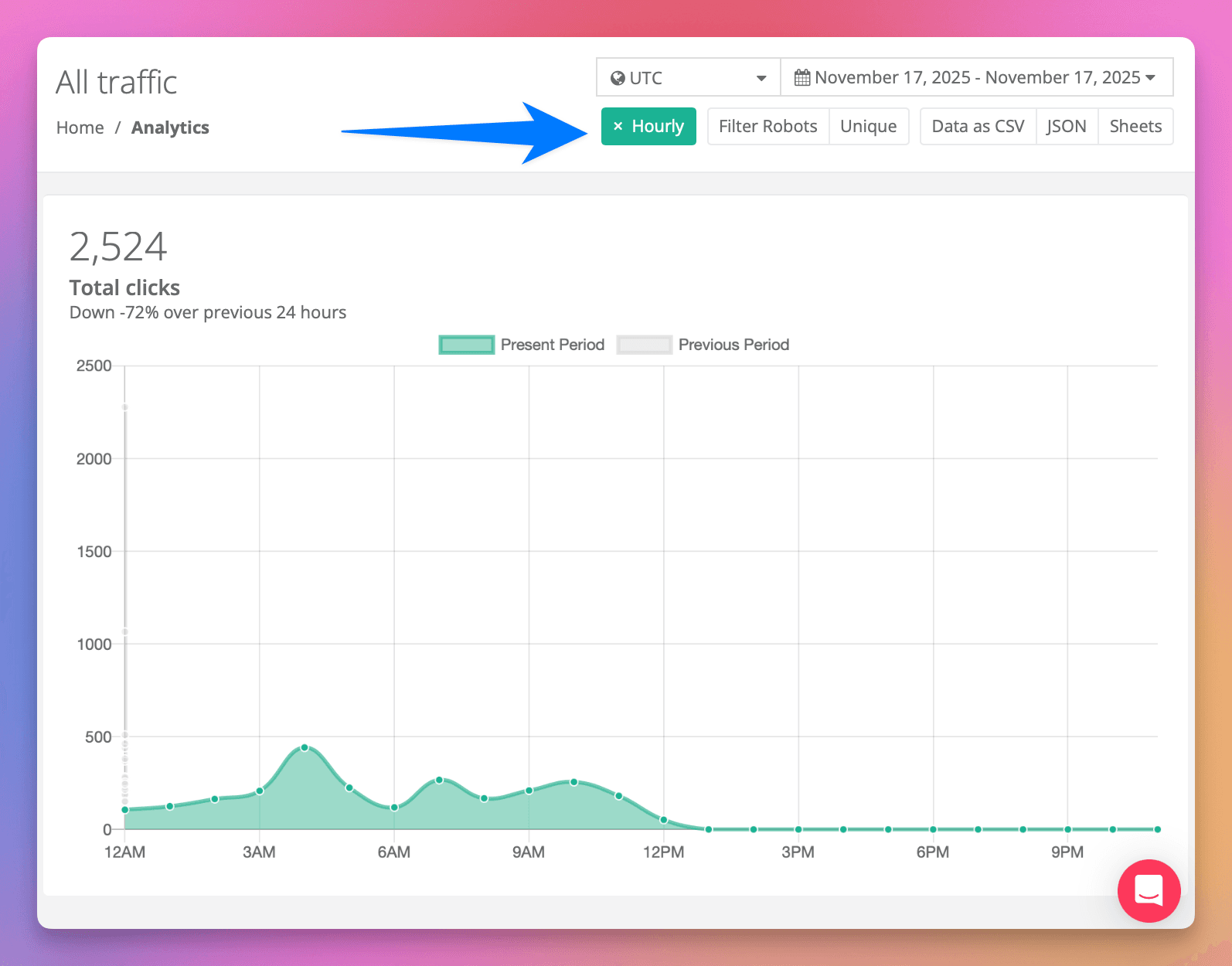
We've significantly increased the Analytics API limits for all plans, including Free.
The biggest change is to data scanned — the limit has been raised by a large multiple across every plan, meaning you can run much larger queries and export far more data before hitting a limit.
These improvements apply automatically to your account — no action needed.
For full details, see the Analytics API documentation.
Privacy Policy & Terms Update
We've updated our Privacy Policy and Terms & Conditions to clarify how we use account activity data for customer communications, and to disclose that we use AI for this purpose. Read the updated policies.
Improved API documentation
We've rebuilt our API reference with Scalar for a faster, cleaner experience — complete with interactive examples and ready-to-copy code snippets in over 20 languages.
Explore it here: linklyhq.com/url-shortener-api-reference
Linkly CLI
The Linkly CLI is now available. Install it with npm and manage your short links, click analytics, custom domains, QR codes, and webhooks directly from your terminal.
npm install -g @linkly-link-shortener/cli
linkly auth login
Sign in with OAuth (browser) or an API key — credentials are saved locally so you only authenticate once. Add --json to any command for machine-readable output, or run linkly schema to print the full command tree for use with AI agents and scripts.

Slack Click Notifications
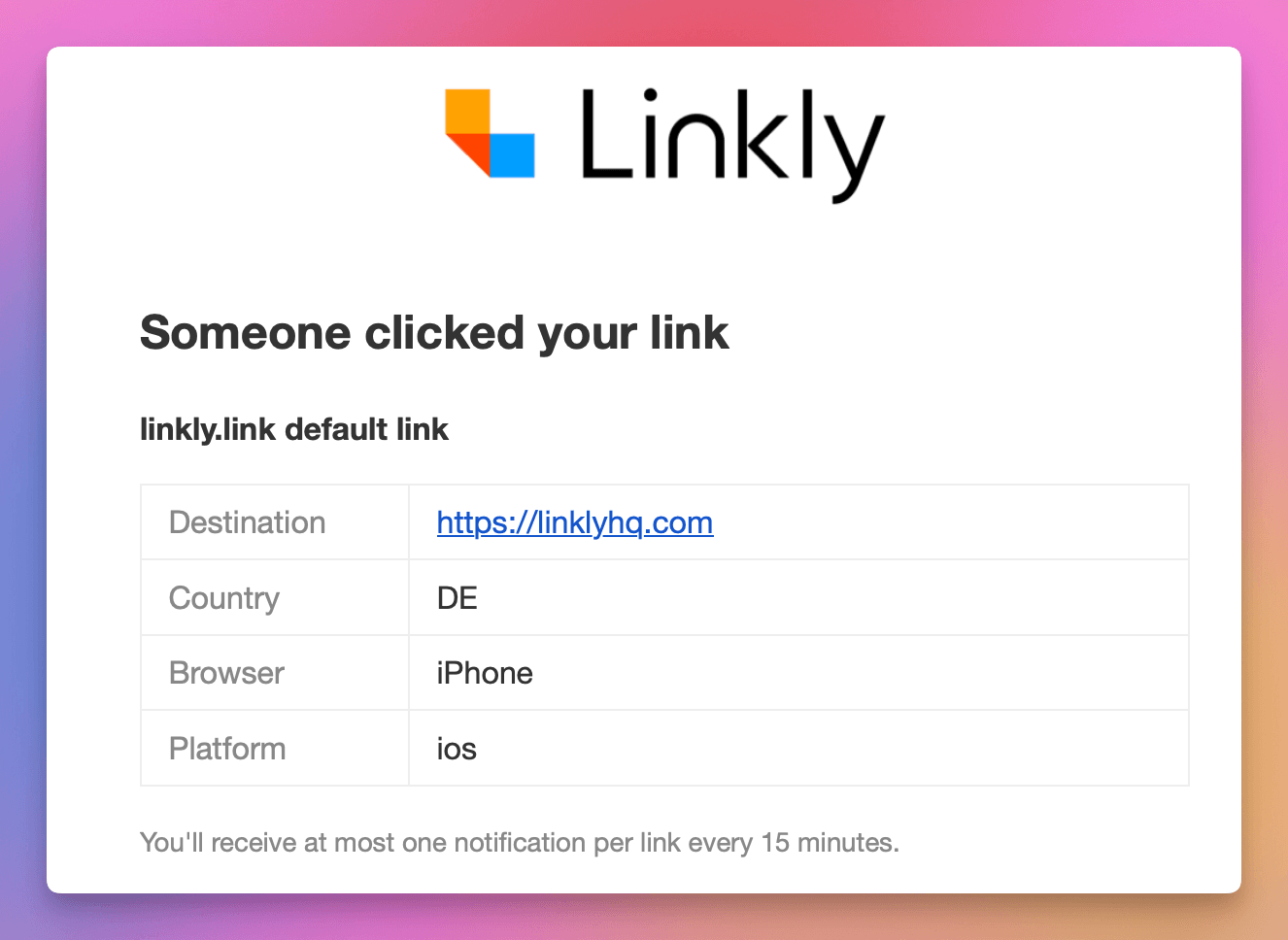
Click notifications are now available in Slack. Install the Linkly Slack app, run /linkly notify in your channel, then toggle Send to Slack on for any link — the bot will post a message whenever that link is clicked.
Notifications include the link name, short URL, country, browser, and a link straight to the analytics dashboard. Debouncing applies as normal: at most one notification per link every 15 minutes, and bot clicks are excluded.
After installing, the setup page walks you through the next step: run /linkly notify in your chosen Slack channel to activate notifications. You can also type /linkly in Slack at any time to see all available commands.
Linkly for Slack
Create branded short links, check click stats, and grab QR codes — without leaving Slack.

What's in it
/shorten <url>— create a branded short link in one command. Add<domain>/<slug>to pick the exact short URL./clicks <domain/slug>— see total clicks and last-7-day stats, with a button into the full analytics dashboard./qr <domain/slug>— get a scannable QR code rendered right in the channel.- App Home — at-a-glance view of your connected Linkly workspace, default short-link domain, and dashboard shortcuts.
Three minimal bot scopes: commands, chat:write, im:write. No message-history or DM-history access.
Full details: Slack integration docs.
CC and BCC for mailto links
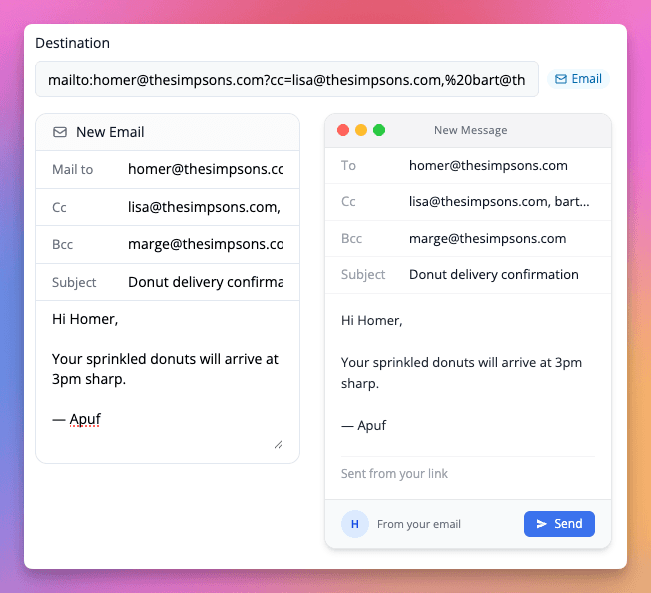
Linkly's mailto link generator now supports CC and BCC fields alongside the existing subject and body. Add multiple recipients to a single shortened mailto link without hand-crafting the URL syntax.
New pricing plans
We've refreshed our pricing with four clearer tiers — Starter, Pro, Business, and Enterprise — priced by links/month with a tracked-clicks quota for analytics. Pro and Business now also support per-resource add-ons (extra clicks, links, domains, or seats) so you can extend a single thing without bumping plans.
Existing customers are grandfathered. If you're already paying for Linkly, nothing changes — you keep your current plan and pricing for now.
Zapier templates inside Linkly
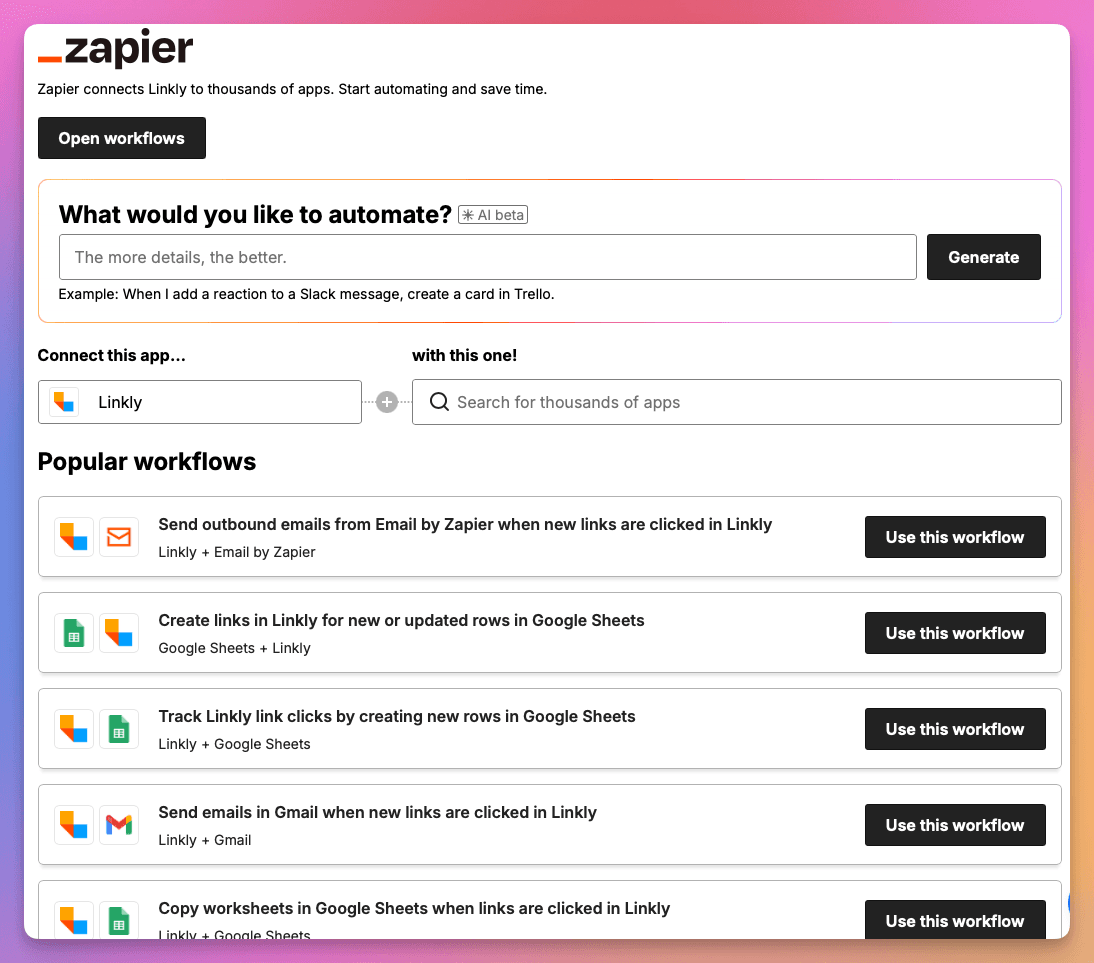
You can now browse and install Linkly's Zapier integrations directly from the Linkly dashboard at Integrations → Zapier — no need to leave for zapier.com.
We've also added new Zap templates for Google Sheets, Slack, RSS, WordPress and Mailchimp, covering the most-asked-for workflows: shortening URLs in bulk, getting Slack alerts on link clicks, and logging click data to Google Sheets.
Link Previews and a Cleaner Layout in the New Link Form
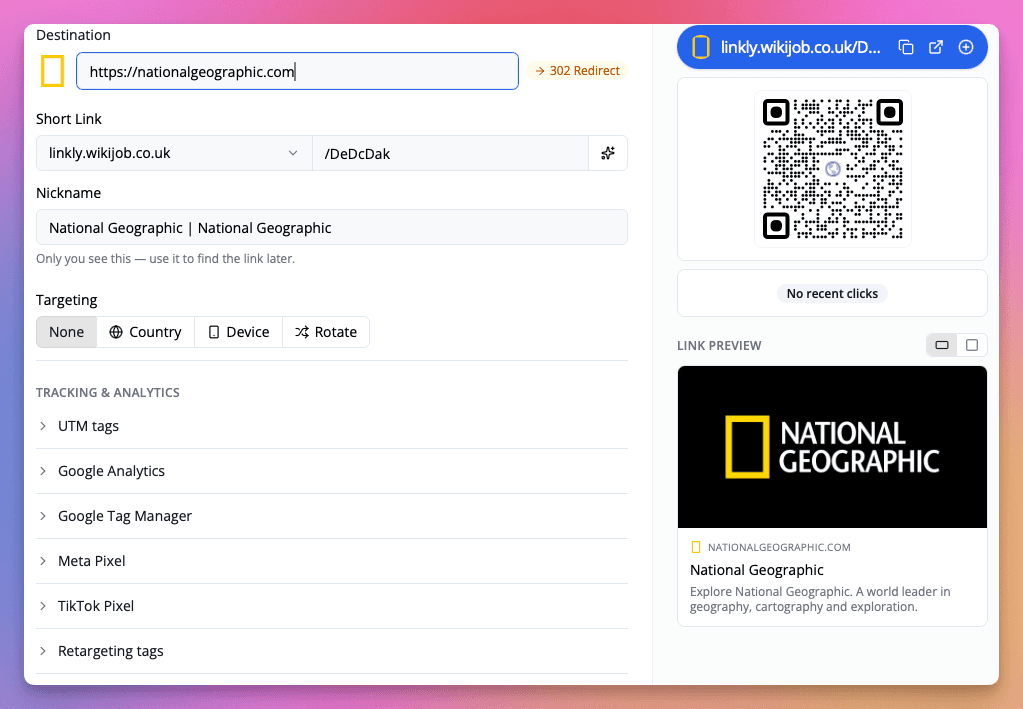
The new link form now shows a live preview of the destination page — title, description, and favicon — pulled in as soon as you paste a URL. Use it to confirm you've got the right page before you share the link.
We've also reworked the layout to be easier to scan: the destination, short link, and nickname sit together at the top, with targeting and tracking & analytics options grouped underneath. The QR code, recent clicks, and link preview now share a single side panel.
Linkly for ChatGPT
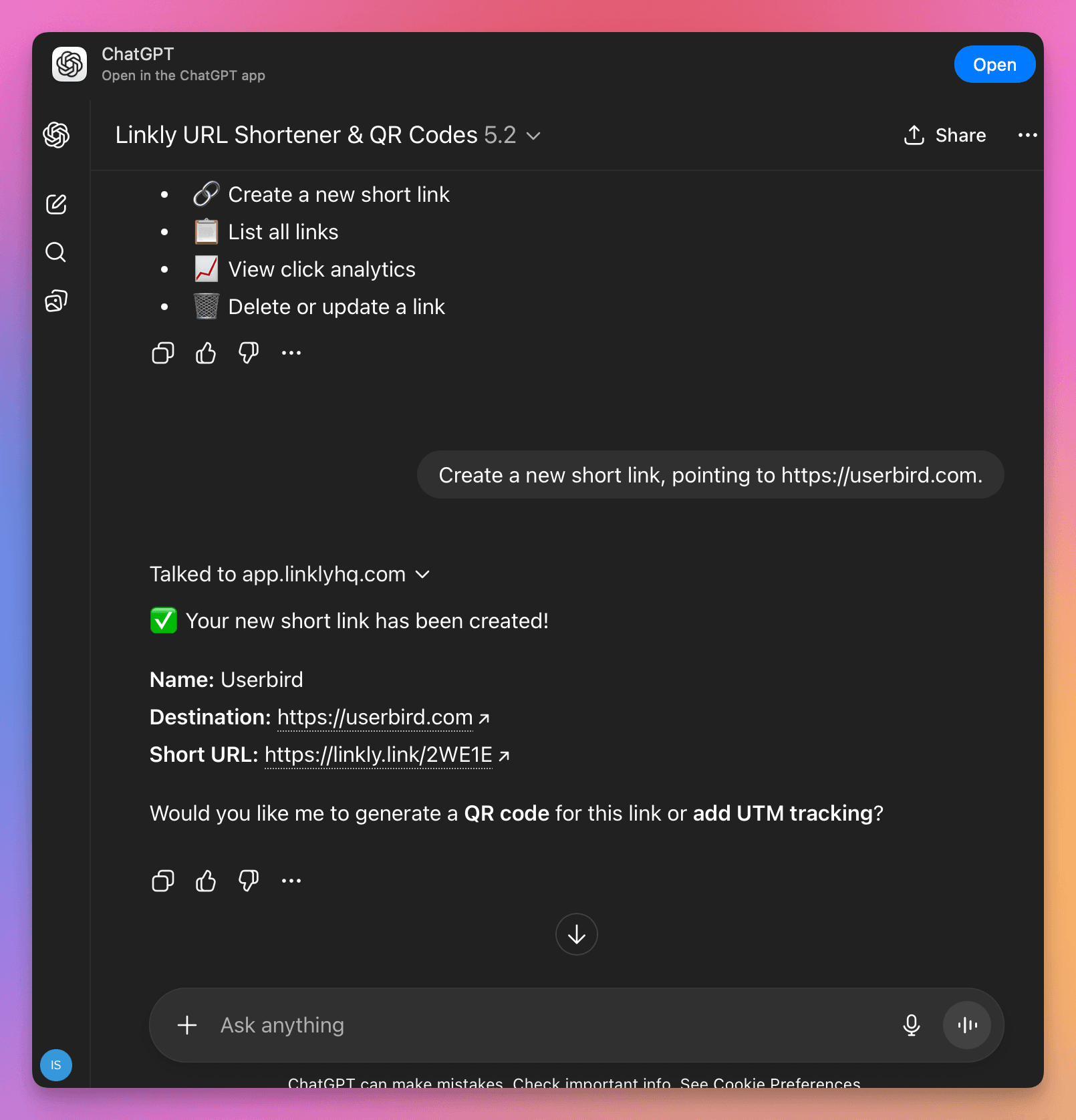
Linkly is now available as a ChatGPT app — the easiest way to create short links, QR codes, and check analytics without leaving your conversation.
What You Can Do
Once connected, just ask ChatGPT to:
- Shorten URLs - "Shorten this URL: example.com/my-long-page"
- Create QR codes - "Make a QR code for my website"
- Track clicks - "How many clicks did my last link get?"
- Manage links - "List my recent links"
Getting Started
Open go.linklyhq.com/chatgpt, sign in to your Linkly account when prompted, and start chatting.
This is now our recommended way to use Linkly with ChatGPT. See the full setup guide for more.
Improved OAuth Flow for Claude's MCP Server
We've revamped how AI assistants connect to the hosted Linkly MCP server at https://mcp.linklyhq.com. The new flow uses OAuth 2.1 with PKCE and dynamic client registration — there's no API key to paste into a config file anymore.
When Claude Desktop, Claude Code, or any other MCP-compatible client connects for the first time, a browser window opens asking you to sign in to Linkly and approve access. After that, your assistant stays connected with a workspace-scoped token, and the model itself never sees your credentials.
For Claude Desktop, the config is now just:
{
  "mcpServers": {
    "linkly": {
      "command": "npx",
      "args": ["-y", "mcp-remote", "https://mcp.linklyhq.com"]
    }
  }
}
See the updated setup guide for full instructions.
Browser Push Notifications
Click notifications can now be delivered as browser push notifications in addition to email. Push notifications appear instantly on your desktop or mobile device, even when Linkly isn't open in a tab.
To enable push notifications, go to Account Settings and toggle on Browser Notifications. Once enabled, any link with click notifications turned on will also send push notifications to your device. Clicking a notification takes you directly to that link's traffic report.
Push notifications work in Chrome, Safari, Firefox, and Edge. They use the same 15-minute debouncing as email notifications. Learn more about click notifications.
TikTok Pixel Integration
You can now add a TikTok Pixel to your links with a dedicated Pixel ID field — no need to paste the full tracking script manually.
In the link editor, expand the TikTok Pixel section, enter your Pixel ID, and save. When someone clicks the link, the TikTok Pixel fires automatically before they're redirected to the destination.
This works alongside the existing Meta Pixel and Google Analytics integrations. You can use all of them on the same link.
See 'Add TikTok Pixel to a Link' for the full guide.

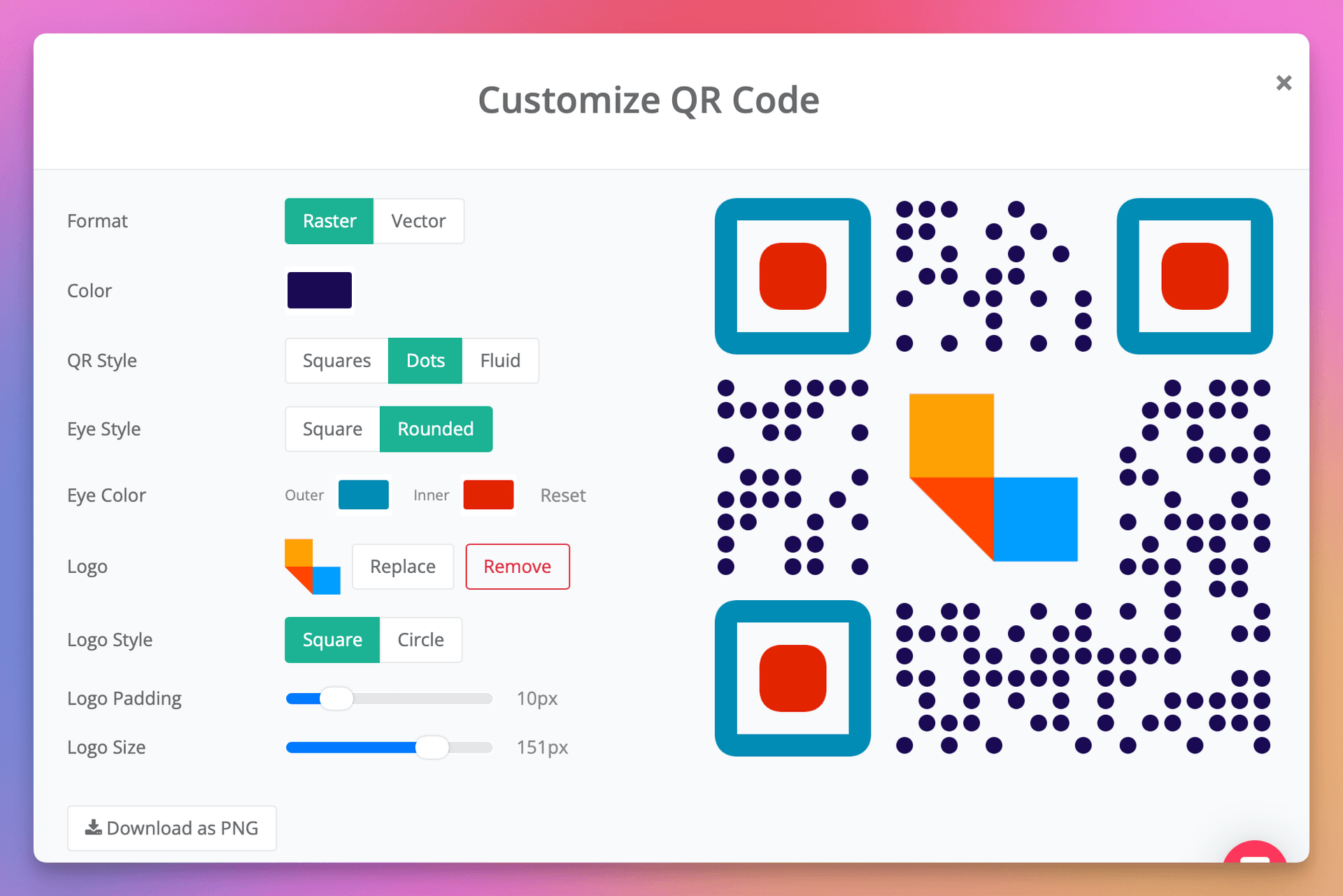
Use Site Icons as QR Code Logos
You can now use the destination website's icon as your QR code logo with a single click.
In the QR code editor, next to the Upload button in the Logo row, you'll see a small icon showing the favicon of your link's destination. Click it to instantly set it as the QR code logo — no need to download and re-upload the image yourself.
This makes it quick and easy to create branded QR codes that match the destination site.

WhatsApp Link Generator
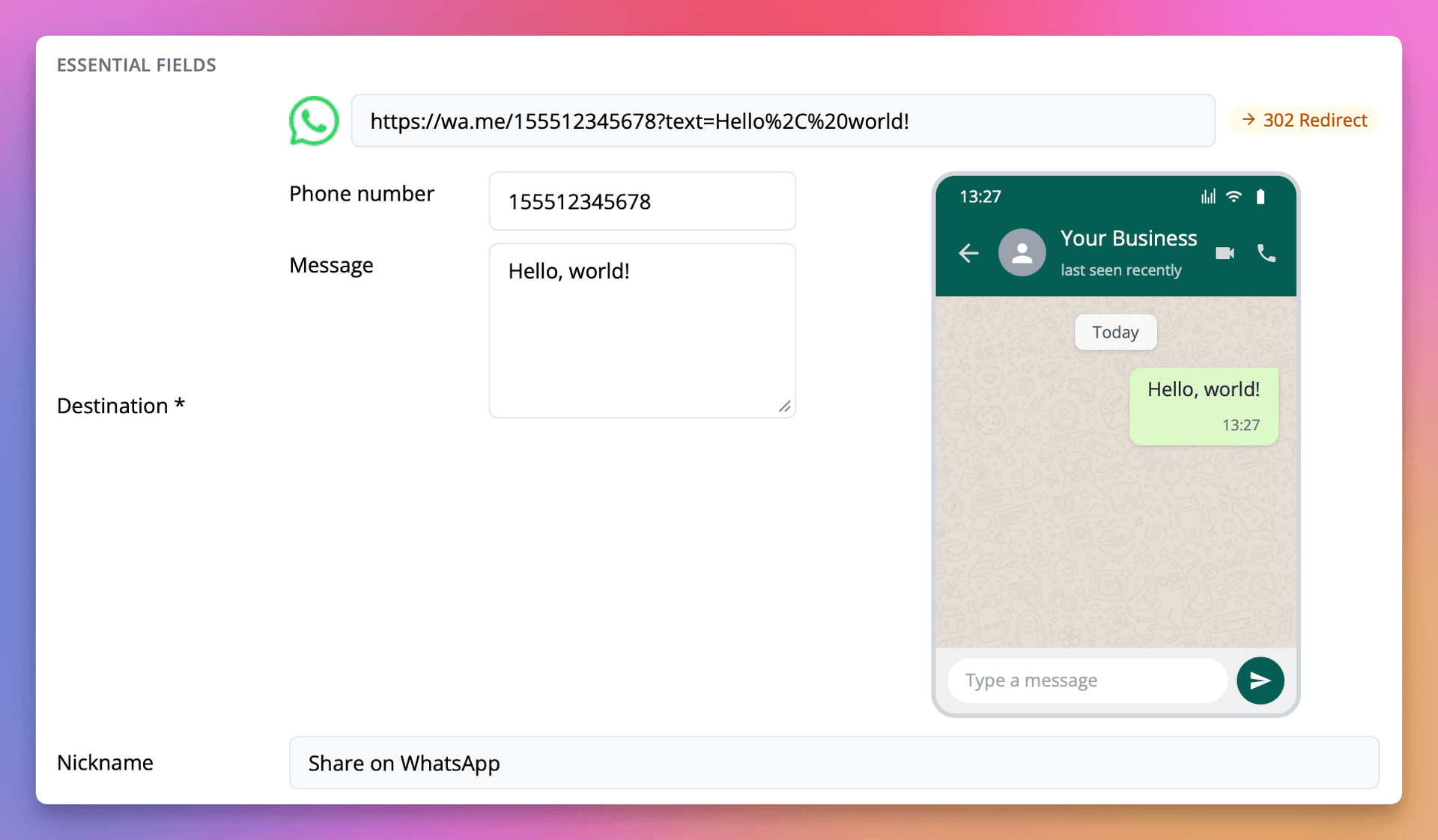
You can now create and edit WhatsApp click-to-chat links directly in the Linkly link editor.
When you paste a wa.me URL into the destination field (or just type wa.me), a form pops out with separate Phone number and Message fields, along with a live preview showing how the message will appear in WhatsApp.
This means you can:
- Edit the phone number and message without manually URL-encoding the
textparameter - See a live preview of the WhatsApp chat as you type
- Track every click with full Linkly analytics — location, device, referrer, and more
All existing Linkly features work with WhatsApp links, including custom domains, retargeting pixels, UTM tags, expiry dates, and A/B rotation.
See 'WhatsApp Link Generator' for the full guide.
Automatic DNS Setup with Domain Connect
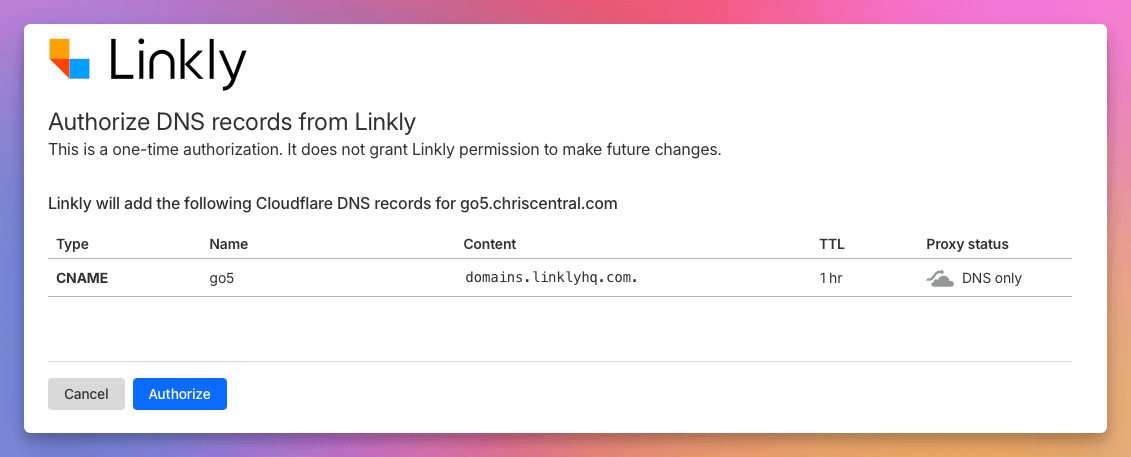
Linkly now supports the Domain Connect protocol, allowing you to set up custom domain DNS records automatically with a single click.
When adding a domain in the wizard, if your DNS provider supports Domain Connect, you'll see an Auto-Configure option. Click it, authorize the changes at your provider, and Linkly will set up the correct CNAME or A records for you — no manual DNS editing required.
Supported DNS providers include:
- Cloudflare
- GoDaddy
- IONOS
- NameSilo
- Plesk
- WordPress.com
For more details, see our custom domain setup guide.
Public URL Shorteners Upgraded to Cloudflare
Today we have upgraded our public URL shorteners on the URLs, linkly.link, 2ly.link and 3ly.link to our new infrastructure on Cloudflare workers.
This is a dramatic upgrade which should reduce global redirect times and increase capacity for traffic surges.
Link icons are now available as an optional column in the dashbaord
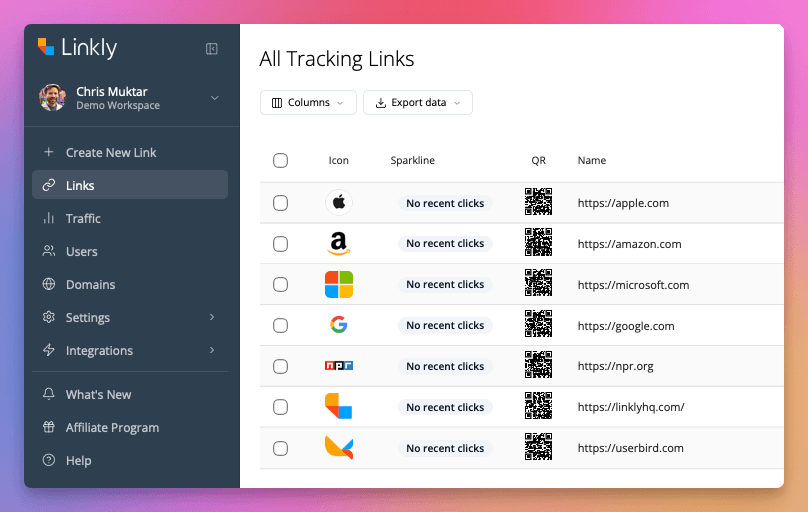
Link icons are now available as an optional column in the dashboard. This allows you to see at a glance the icon of the link's destination. This only works if the destination provides an icon.
Icons are also shown when detected when entering URLs.
QR Code Generator API
You can now access QR code images directly via URL by appending .qr.png to any short link. For example:
https://lnk.ly/ABC123.qr.png
This returns a PNG image of the QR code, complete with any saved styles, colors, and logos. No authentication is required, making it easy to embed QR codes in emails, documents, or webpages using a simple <img> tag.
For developers who need more control, an authenticated API endpoint is also available at /api/v1/link/:id/qr/png, which supports query parameter overrides for colors, styles, and size.
See 'QR Code Generator API' for full documentation.
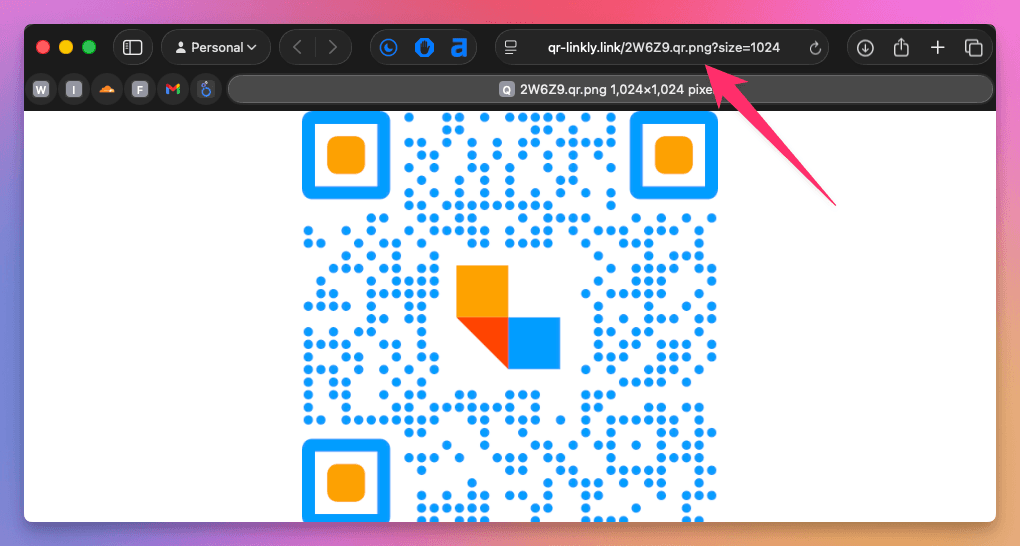
Improved Dashboard Layout
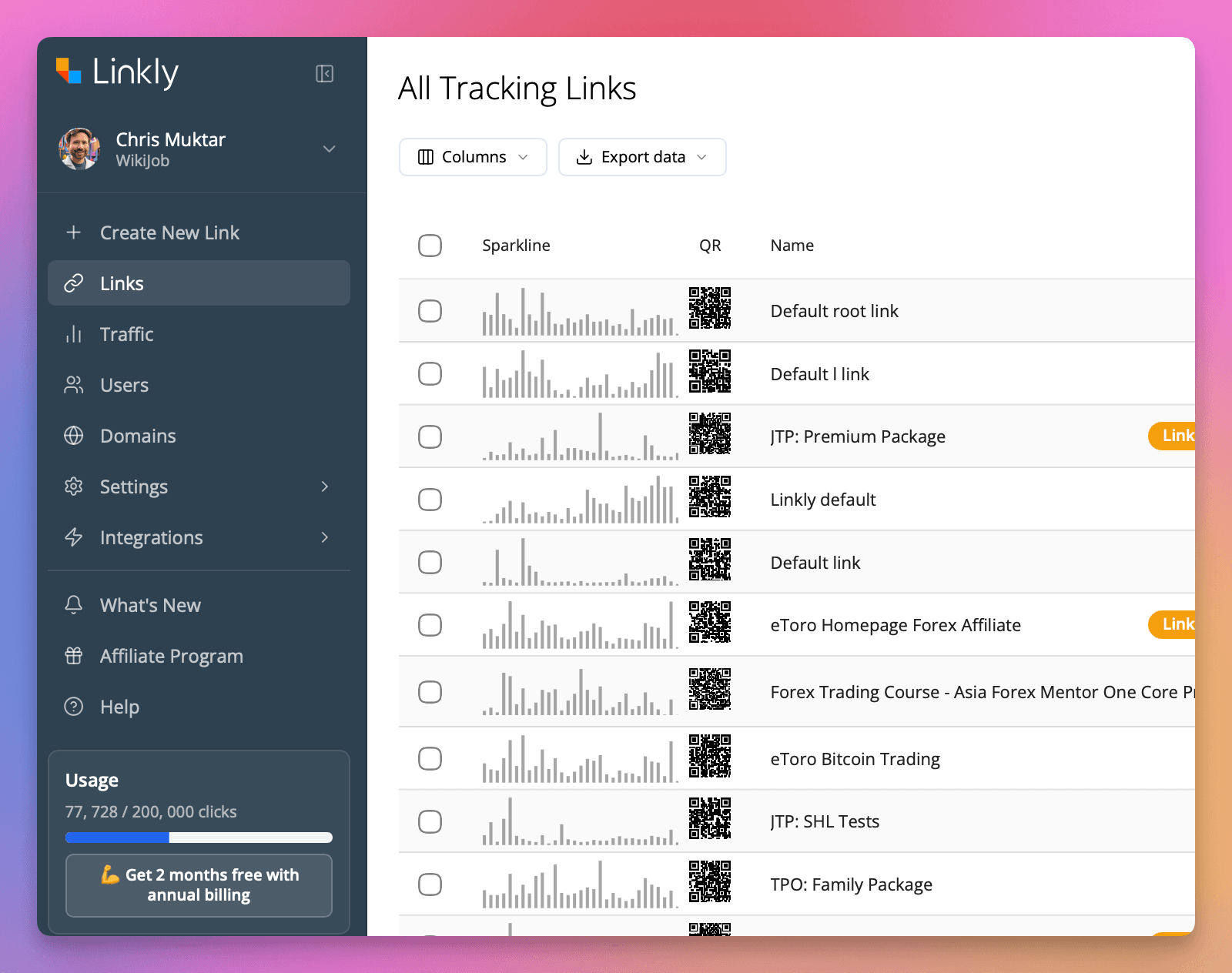
We've redesigned the Linkly dashboard with a cleaner, more modern layout.
Refreshed sidebar - The navigation sidebar has been updated with a sleek dark theme, clearer icons, and better visual hierarchy so you can find what you need faster.
Sparkline previews - Each link now shows a mini traffic sparkline directly in the table, giving you an at-a-glance view of recent click activity without opening the full report.
Inline QR codes - QR codes are now displayed as thumbnails alongside each link, making it easy to identify and download them.
Streamlined toolbar - Column visibility and data export controls are now accessible from a clean toolbar at the top of the table.
Faster Dashboard & Workspace Management
We've made your Linkly dashboard noticeably faster to load, and added new workspace management features.
Faster page loads - The dashboard now loads key data earlier and defers non-essential scripts, so you'll see your links and analytics faster than before.
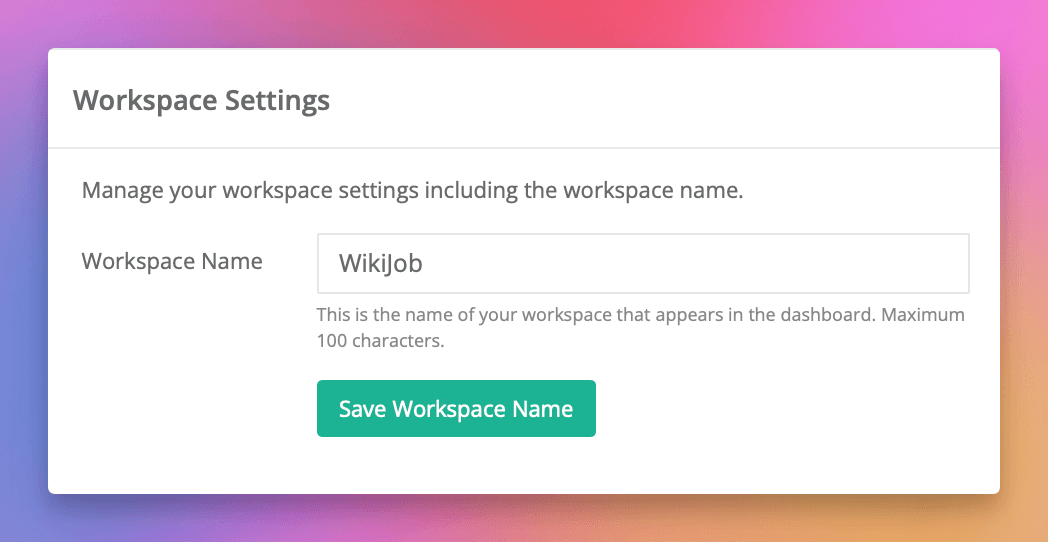
Manage workspaces in-app - You can now create new workspaces and rename existing ones without leaving the dashboard. No more page reloads or context switching.
Smaller downloads - We've reduced the amount of data your browser needs to download on each visit, which is especially helpful on slower connections.
Linkly Is Now Available in 11 Languages
Linkly is now available in 11 languages. The entire website — including all pages, feature descriptions, and release notes — has been translated to help users around the world get the most out of Linkly in their preferred language.
Supported Languages
- English
- Spanish (Español)
- French (Français)
- German (Deutsch)
- Portuguese (Português)
- Italian (Italiano)
- Dutch (Nederlands)
- Japanese (日本語)
- Korean (한국어)
- Chinese (中文)
- Polish (Polski)
Your language is automatically selected based on your browser settings, or you can switch manually using the language selector in the navigation bar.
Click Notifications
You can now receive email notifications when your links are clicked. Enable notifications on any link and choose which workspace members should be notified.
Notifications include the link name, destination, country, browser, and platform of each click. To keep your inbox manageable, emails are automatically debounced to at most one per link every 15 minutes, and bot clicks are filtered out.
Click notifications are also available via the API using the notify_user_ids field. Learn more about click notifications.
Multilingual Documentation
Linkly's documentation is now available in 10 languages, making it easier for users around the world to get the most out of our platform.
Supported Languages
- English
- Spanish (Español)
- French (Français)
- German (Deutsch)
- Portuguese (Português)
- Italian (Italiano)
- Dutch (Nederlands)
- Japanese (日本語)
- Korean (한국어)
- Chinese (中文)
What's Translated
All support articles, blog posts, and feature pages are now available in each language. The language is automatically selected based on your browser settings, or you can switch manually using the language selector in the navigation bar.
Localized Links
Internal links throughout the documentation are fully localized, so you'll stay in your chosen language as you navigate between pages.
Click-Based Link Expiry
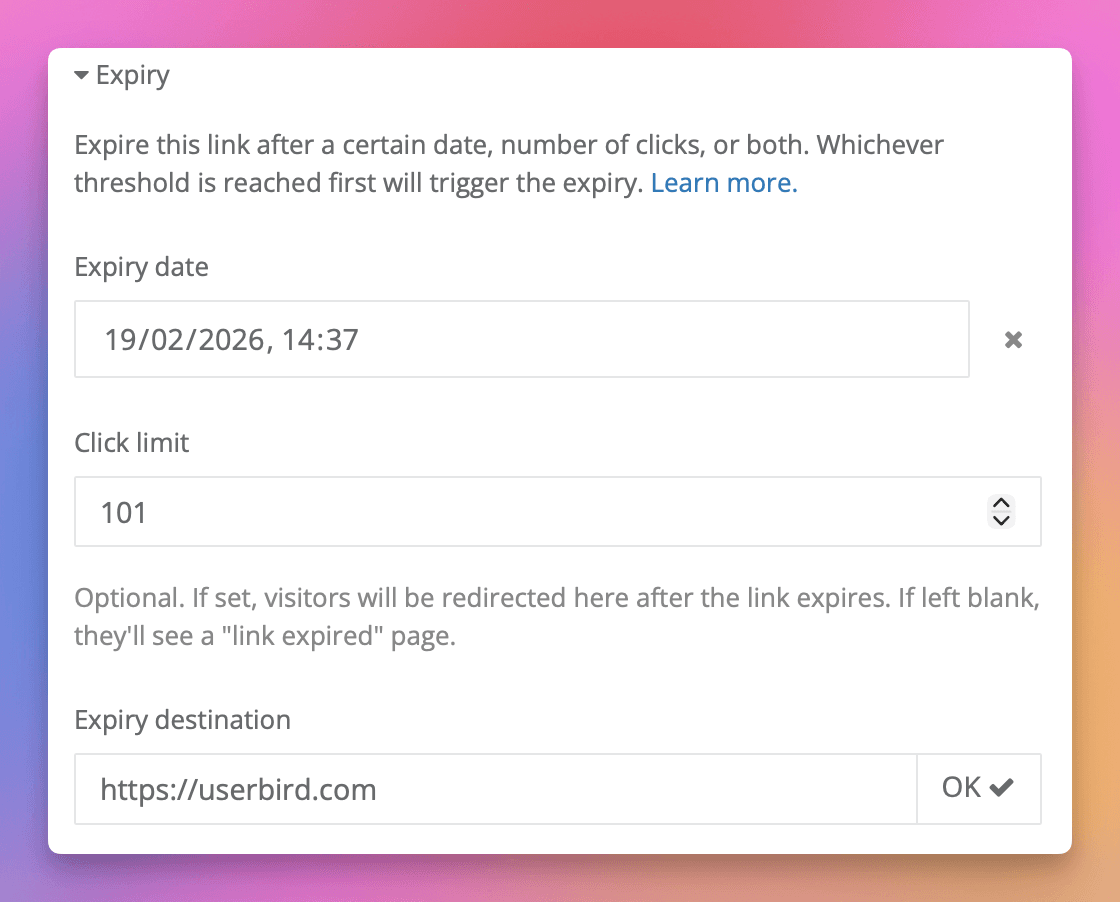
Links can now expire after a set number of clicks, in addition to the existing date-based expiry. You can use either type on its own, or combine both — whichever threshold is reached first will trigger the expiry.
When a link expires, visitors are either redirected to a destination of your choice, or shown a dedicated "link expired" page.
Click-based expiry is available in the dashboard, via the API, and through our Zapier integration. Learn more about expiring links.
ISP Exclusion Filter
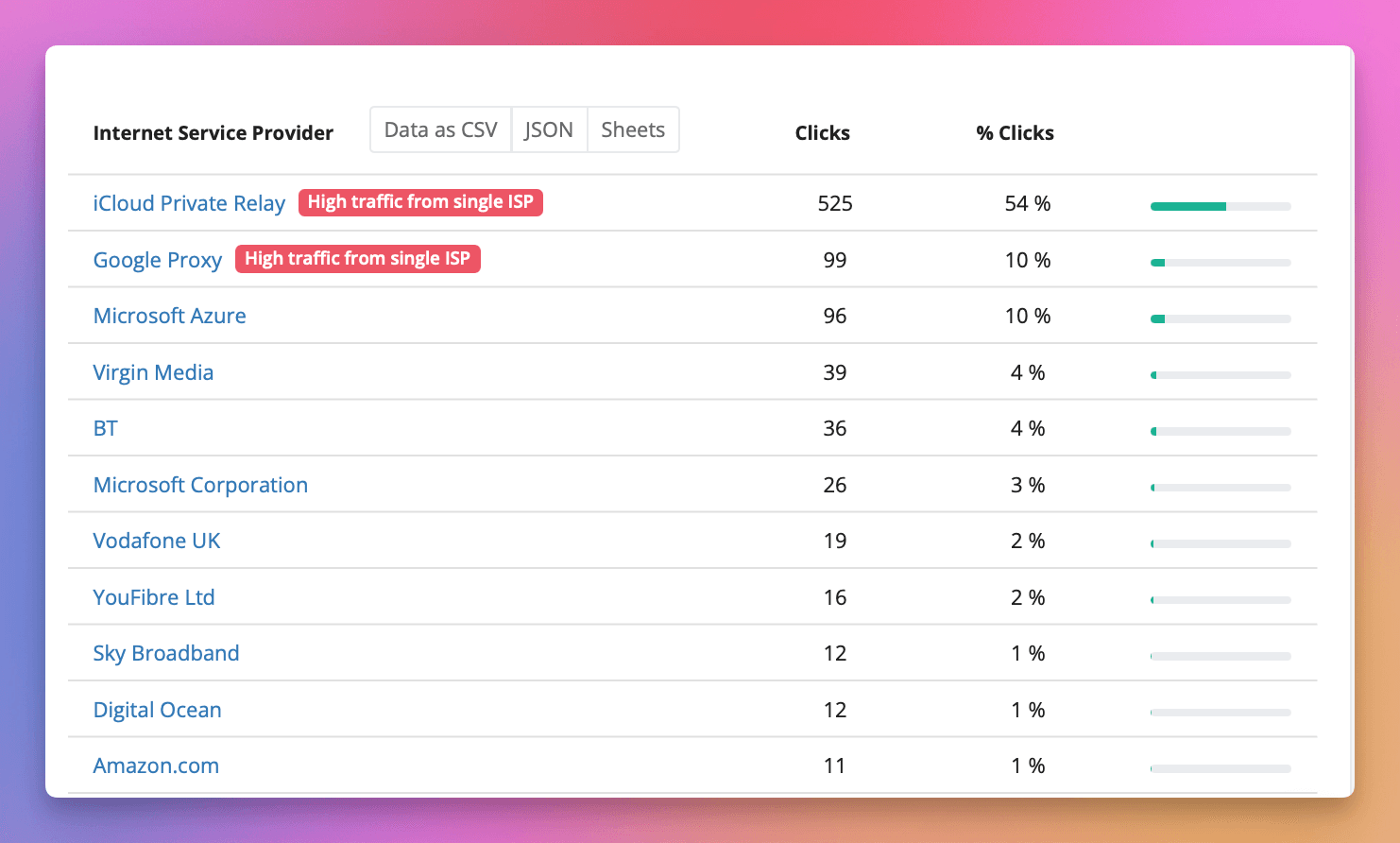
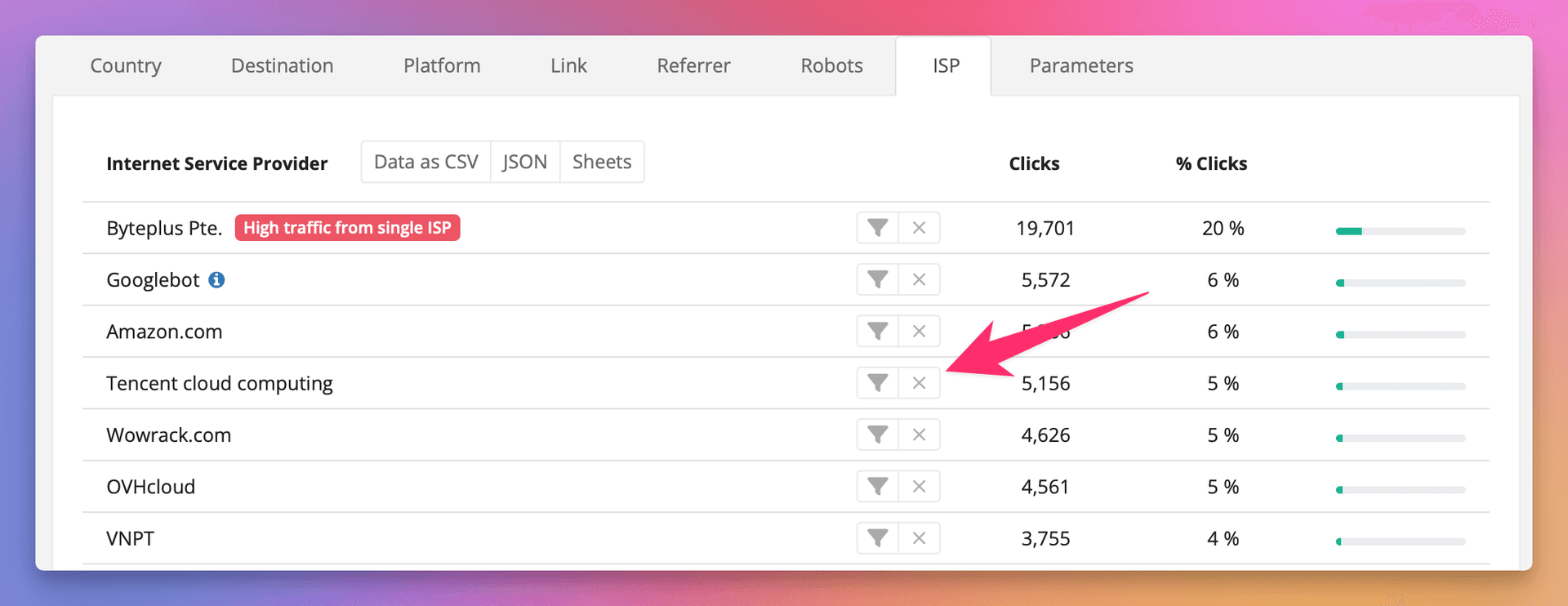
You can now exclude specific ISPs from your analytics dashboard. This is useful for filtering out bot traffic or focusing on genuine user clicks.
Use the new exclude button (×) next to any ISP in the ISP tab to hide that traffic from your reports. Excluded ISPs appear with a strikethrough and can be easily re-included with one click.
You can also exclude multiple ISPs at once, and mix inclusions with exclusions for precise filtering.
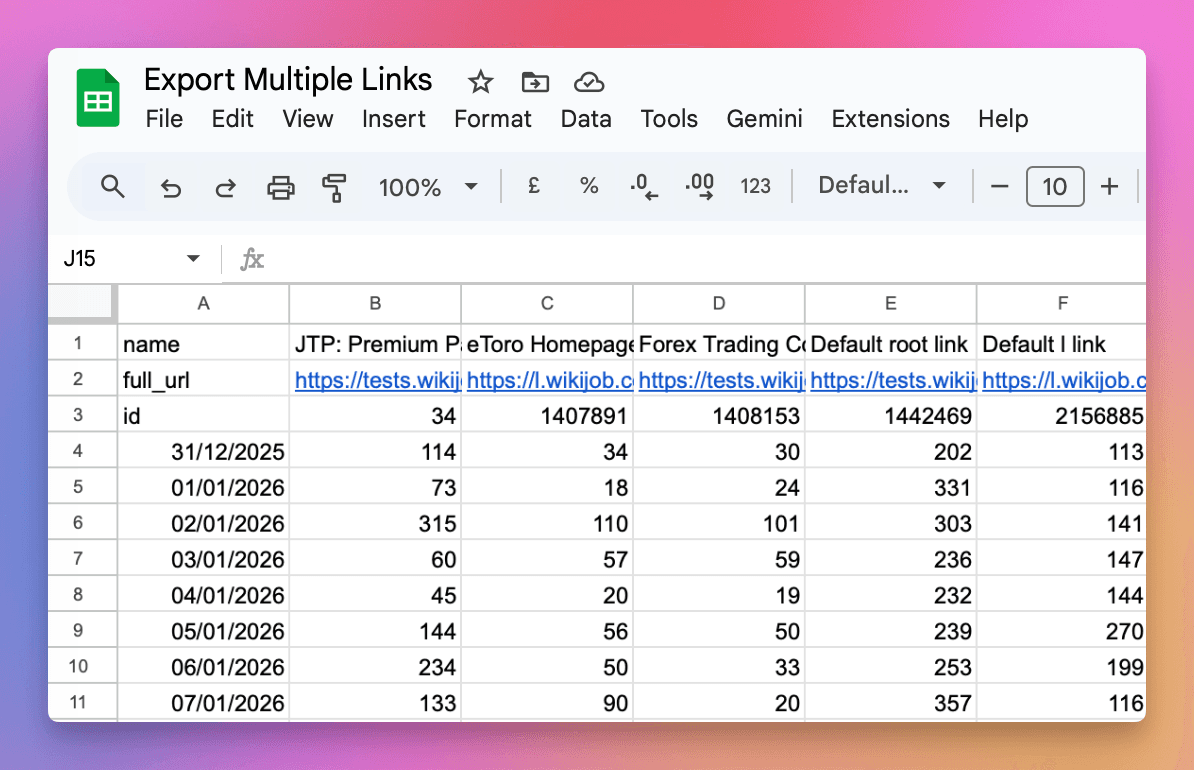
Export Data By Link - All Your Click Data in One Download
Export Data By Link makes it easy to download click analytics for all your links in a single file. Instead of exporting data link by link, you now get a matrix with dates as rows and links as columns.
The new Export Data dropdown in the traffic report gives you quick access to:
- By Link - All links in one file with clicks broken down by date (recommended)
- Totals - Aggregate daily totals across all links
- Raw Click Data - Individual click records with full details
- BigQuery - Direct SQL access for advanced analysis
- Webhooks - Real-time click notifications
Export as CSV for spreadsheets, or use the Google Sheets option to paste a live data feed formula that automatically updates.
See the Analytics API documentation for details on the new pivot=link_id parameter.
Happy New Year, Happy New Logo
We're kicking off the new year with a fresh look! Linkly has a brand new logo that better represents who we are and where we're heading.
The new design features a bold, modern "L" icon with our signature orange, red, and blue colors, paired with clean typography.
You'll see the new logo rolling out across the Linkly dashboard, browser extension, and all our integrations over the coming weeks.
Here's to a great 2026!

Make Integration
We're excited to announce our official Make integration, bringing powerful visual automation to Linkly users.
Make (formerly Integromat) is a popular automation platform that lets you connect apps and build workflows visually without code.
What You Can Do
With the Linkly Make integration, you can:
- Create new shortlinks with full configuration (UTM parameters, tracking pixels, Open Graph metadata, and more)
- Update existing links by ID
- Delete links when no longer needed
- Get link details for use in other scenario steps
- List all links in your workspace
- Watch clicks instantly when any link is clicked (instant trigger)
Getting Started
In Make, search for "Linkly" when adding a new module to your scenario. Connect your Linkly account using your API key from your workspace settings.
Find the Linkly integration on Make
Check out our full documentation for setup instructions and use cases.
Introduction of Analytics API Fair Use Limits
We're introducing fair use limits for the Analytics API to ensure reliable service for all customers.
Why We're Making This Change
As Linkly has grown, so have the costs of running our analytics infrastructure. A small number of accounts have been making extremely intensive API requests, which impacts performance and costs for everyone. These limits ensure fair access while keeping the service sustainable.
What's Changing
The Analytics API now has usage limits that reset each billing period:
- Free Plan: 100 requests / month, 10 GB data scanned / month
- Monthly Paid: 2,000 requests / month, 2 TB data scanned / month
- Annual Paid: 24,000 requests / year, 24 TB data scanned / year
Rate limits are also in place: 50 requests per hour per workspace.
What This Means For You
Most users won't notice any change. These limits are designed to only affect the most intensive usage patterns. If you're using the API for standard reporting and data export, you're unlikely to hit these limits.
Monitoring Your Usage
You can monitor your API usage in the Billing section of your account settings. This shows your current usage against your limits.
Need Higher Limits?
If you need more capacity for your application, please talk to us using the support widget. We're happy to discuss options for high-volume use cases.
Alternatives for Heavy Usage
For customers with intensive analytics needs, consider our BigQuery Integration, which provides direct SQL access to your click data without API rate limits.
For full details, see the Analytics API documentation.
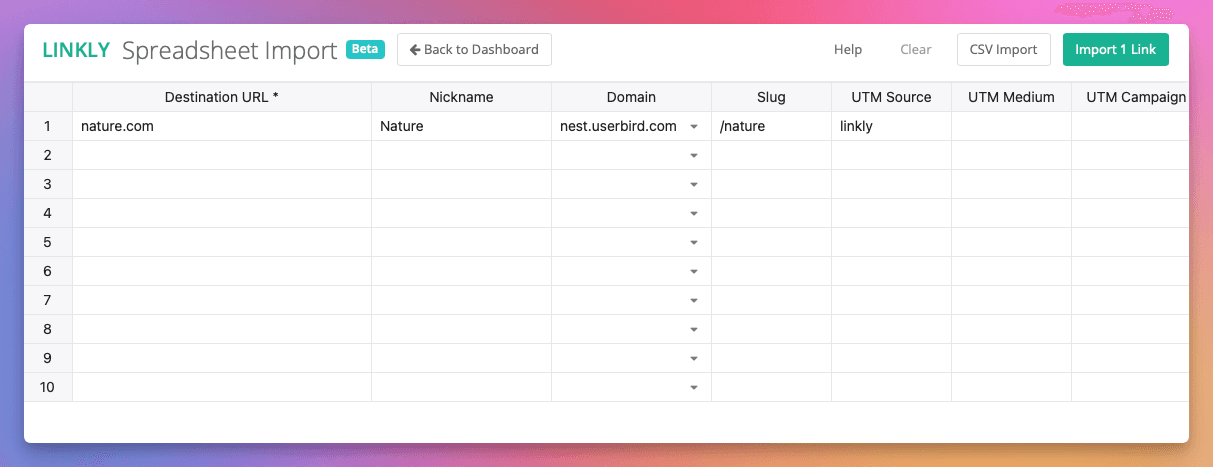
New Spreadsheet Import - Beta
Today we have deployed a significantly improved way of generating hundreds of short links in Linkly.
Linkly now has an embedded spreadsheet which allows you to manage your imports visually.
Linkly's old CSV upload continues to be available is linked from the navbar at the top of the spreadsheet.
This feature is a beta and we welcome feedback from users.
Claude Desktop Integration
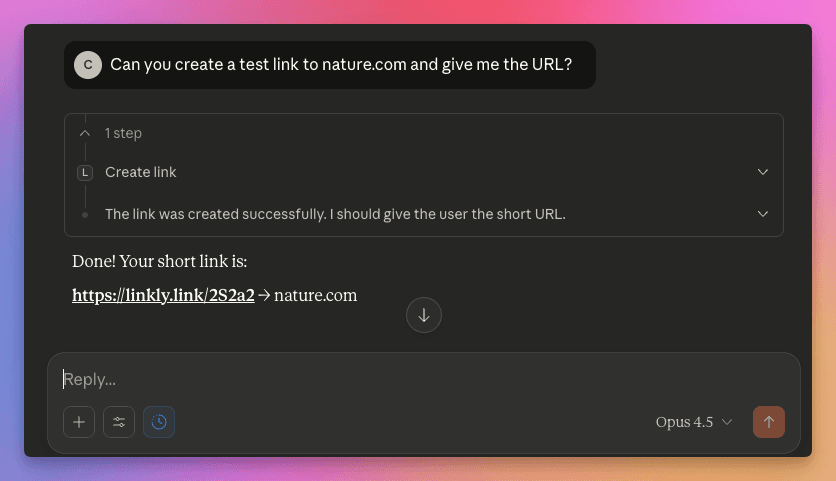
We're excited to announce the Linkly MCP server for Claude Desktop, allowing you to manage your short links through natural conversation.
What You Can Do
Once connected, simply ask Claude to:
- Create links - "Create a short link for https://example.com with UTM source twitter"
- View analytics - "How many clicks did my links get this week?"
- Update links - "Change the destination of my promo link"
- Search links - "Find all links related to the product launch"
- Manage webhooks - "Set up a webhook for click notifications"
Getting Started
- 1Get your API key from Settings → API in Linkly
- 2Add the Linkly MCP server to your Claude Desktop config
- 3Start chatting!
Check out our full setup guide for detailed instructions.
n8n Integration
We're excited to announce our official n8n integration, bringing powerful workflow automation to Linkly users.
n8n is a flexible workflow automation platform similar to Zapier, with the added benefit of self-hosting options and a visual workflow builder.
What You Can Do
With the Linkly n8n node, you can:
- Create new shortlinks with full configuration (UTM parameters, tracking pixels, Open Graph metadata, and more)
- Update existing links by ID
- Delete links when no longer needed
- Get link details for use in other workflow steps
- Trigger workflows instantly when any link (or a specific link) is clicked
Getting Started
Install the Linkly node from n8n's community nodes: Settings > Community Nodes > Search for "linkly"
Or via npm: npm install @linkly-link-shortener/n8n-nodes-linkly
Check out our full documentation for setup instructions and use cases.
Zapier Integration 3.0 - Instant Click Webhooks
Our Zapier integration has been upgraded to version 3.0 with instant click webhooks.
New triggers:
- Any Link Clicked (⚡ Instant) - fires immediately when any link in your workspace is clicked
- Specific Link Clicked (⚡ Instant) - fires immediately when a specific link is clicked
Click events now trigger in real-time instead of polling every 15 minutes.
Webhooks (Beta) - Real-Time Click Notifications
Webhooks (Beta) lets you receive real-time POST notifications when your links are clicked. Perfect for Zapier automations, custom analytics, CRM integrations, and lead tracking.
Configure webhooks per-link or workspace-wide in Settings. Payloads include country, device, browser, referer, and UTM parameters.
See the webhooks documentation for setup details.
Keyboard Shortcuts for Faster Link Creation
Linkly now supports keyboard shortcuts for faster link creation.
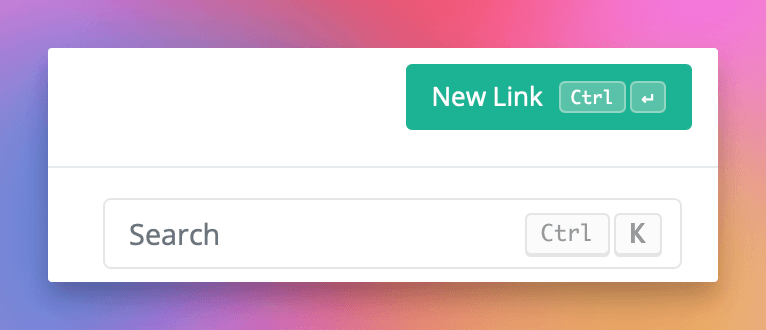
- Press Ctrl/Cmd+Enter on the dashboard to create a new link.
- Press Ctrl/Cmd+Enter on the new link form to save a link.
- Press Escape anywhere to return to the dashboard.
- Press Ctrl/Cmd+K to search the links.
View the complete keyboard shortcuts reference guide for more details.